
Version Context
| SAP S/4HANA | SAP S/4HANA Cloud Public Edition |
|---|---|
| F1653A | F1653A |
F1653 is the classic app version. Use F1653A for current FI-CA clearing-lock analysis where it is available in your release.
Application Details
| Key | Value |
|---|---|
| App ID | F1653A |
| Name | Analyze Clearing Locks |
| Support | Release-specific; verify in the SAP Fiori Apps Reference Library |
| Type | Transactional, Analytical |
| Device Types | Desktop, Tablet |
Sample Screen
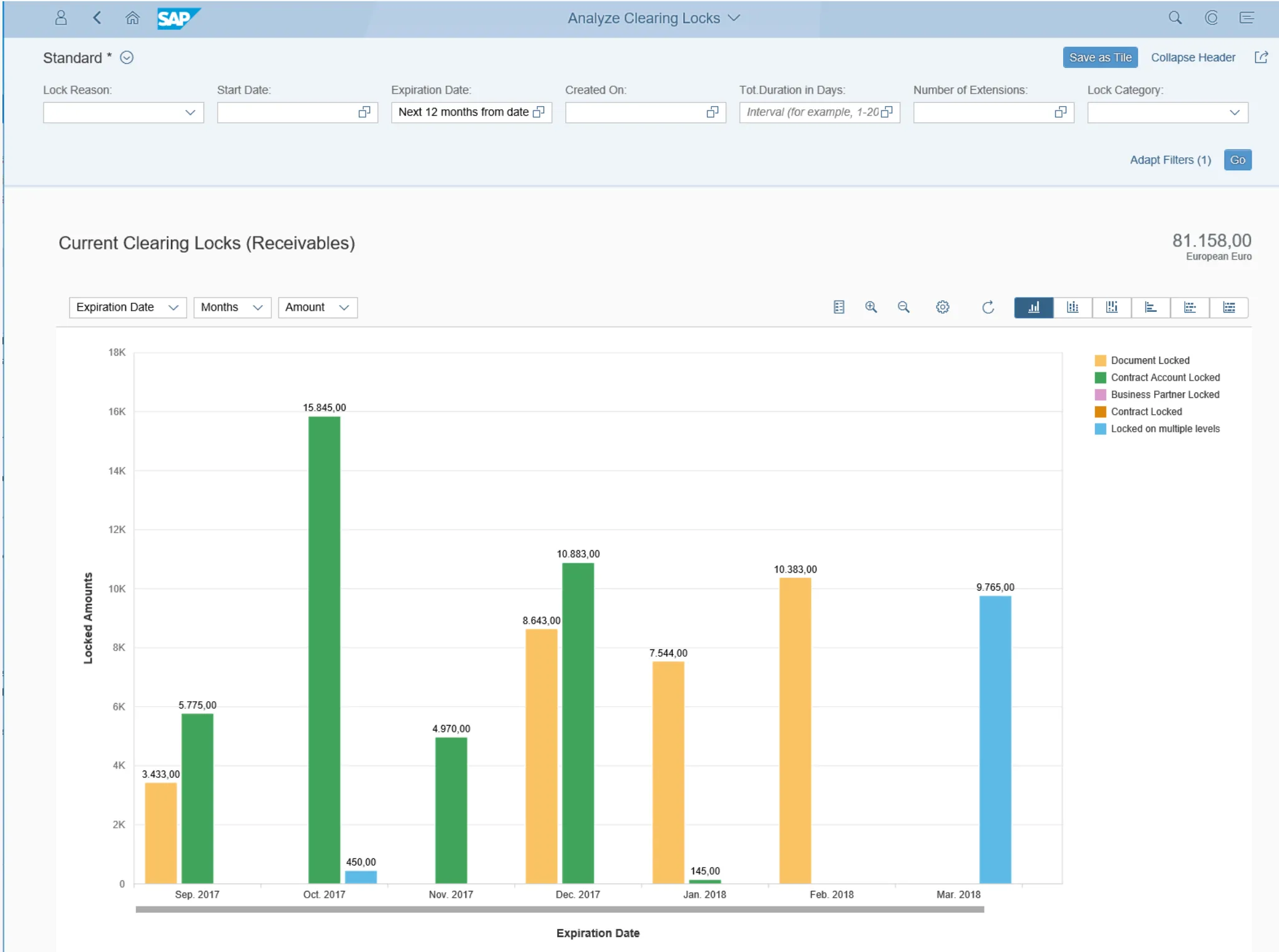
F1653
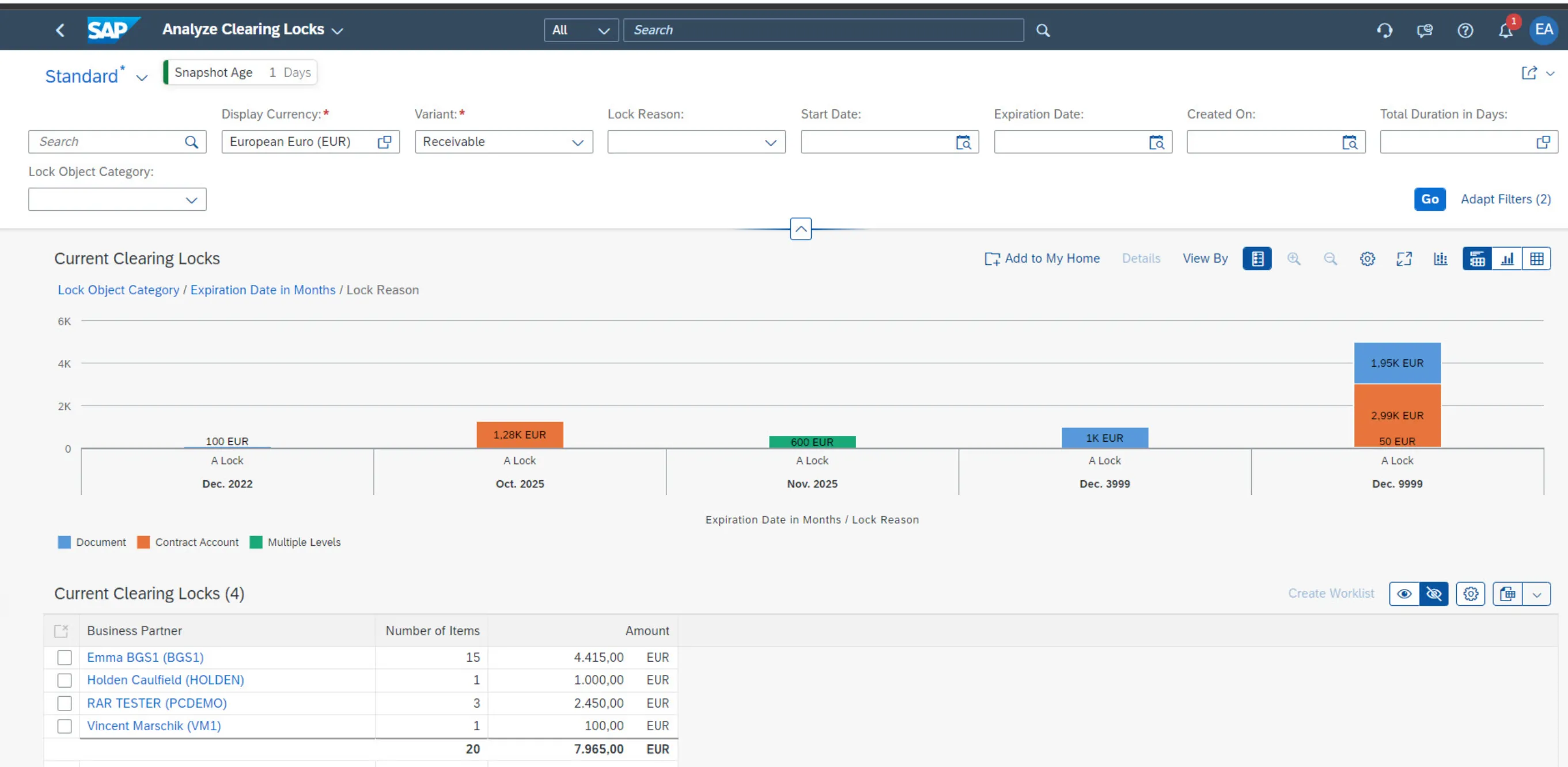
F1653A
Business Use
Use Analyze Clearing Locks to display currently valid clearing locks for receivables and payables. In current releases, the app evaluates snapshot data for locked open items, which improves performance for high-volume FI-CA datasets.
Fiori App in Action
Use this app to identify clearing lock exposure by lock reason, expiration date, duration, business partner and amount. Create or refresh the locked open item snapshot before expecting current lock data.
Configuration
SAP UI5 Application
Verify the release-specific UI5 application in the SAP Fiori Apps Reference Library.
OData Service
Verify release-specific OData services in the SAP Fiori Apps Reference Library before activation.
Technical Catalog
Verify the delivered technical catalog for your SAP S/4HANA release.
Business Catalog
Verify the delivered business catalog for your SAP S/4HANA release.
Business Role
Assign FI-CA analytical authorization through the appropriate business role for your system.
Official References
- SAP Help Portal: Analyze Clearing Locks
- SAP Help Portal: Create Snapshot of Locked Open Items
- SAP Fiori Apps Reference Library
Continue your trail
You now have the Fiori Apps context.
Save this guide, continue to the next concept or return to the Knowledge Library with your context intact.
Fiori Apps
6 resources in this area.

Practical SAP notes, structured for review, reuse and long-term maintenance.
Working on an FI-CA or IS-U implementation? I take on a limited number of advisory and architecture engagements.
Get in touch →