
Quick answer
- Press F12 in the browser and trigger the action; the Network tab shows the OData service.
- Find the service in
/IWFND/MAINT_SERVICEand open Service Implementation. - Open the data provider class (
…_DPC_EXT), go to Methods → Redefinitions, and set an external breakpoint. - Trigger the action in the app again; the ABAP debugger opens.
Why debug a Fiori app
Debugging helps you find and fix defects that stop an application from working correctly, and helps you decide on the approach for a customer-specific customization or enhancement.
SAPUI5 apps run in the browser, so you debug the front end with the browser’s JavaScript debugger (F12). If the app consumes Gateway (OData) services or ABAP RFCs, set an external breakpoint to debug the backend code.
Scenario
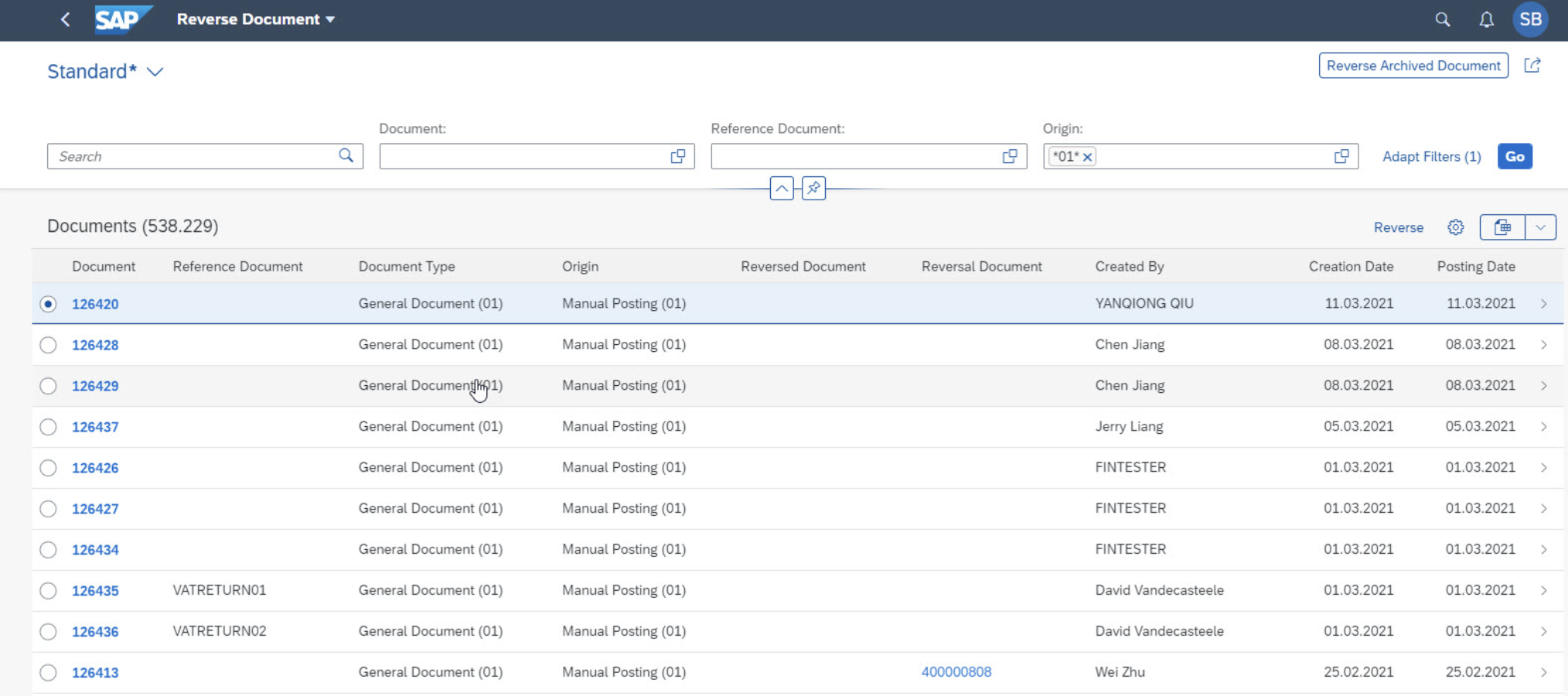
Find the OData service used by Fiori app F4494 and set a breakpoint in ABAP for the app’s Reverse action.
F4494 – Reverse Document
Open the Fiori app
Open the app and select the document.
Trigger the action
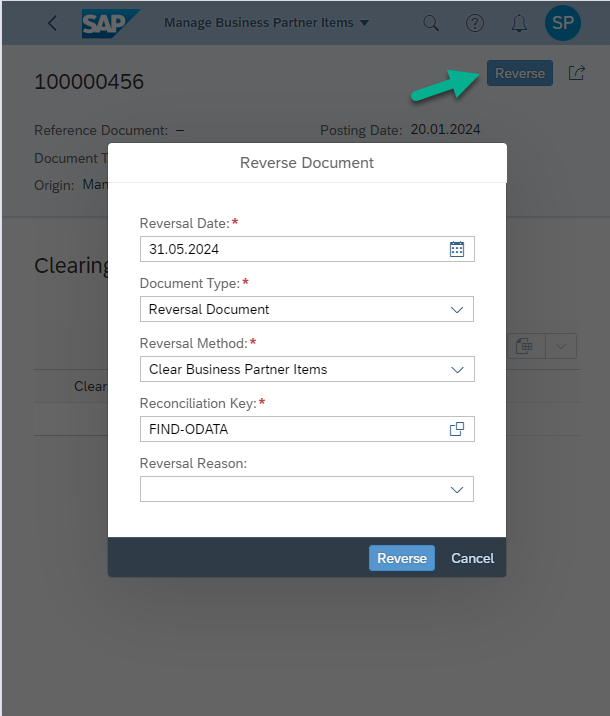
Click the Reverse button.
Identify the OData service
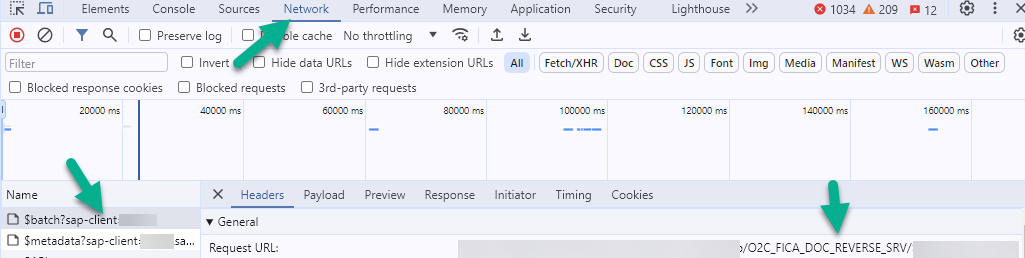
Press F12 and click Reverse on the popup. The service details appear under Network. In this case it is O2C_FICA_DOC_REVERSE_SERV.
For standard apps you can also find the services in the SAP Fiori apps reference library entry for F4494.
Find the service in the OData service catalog
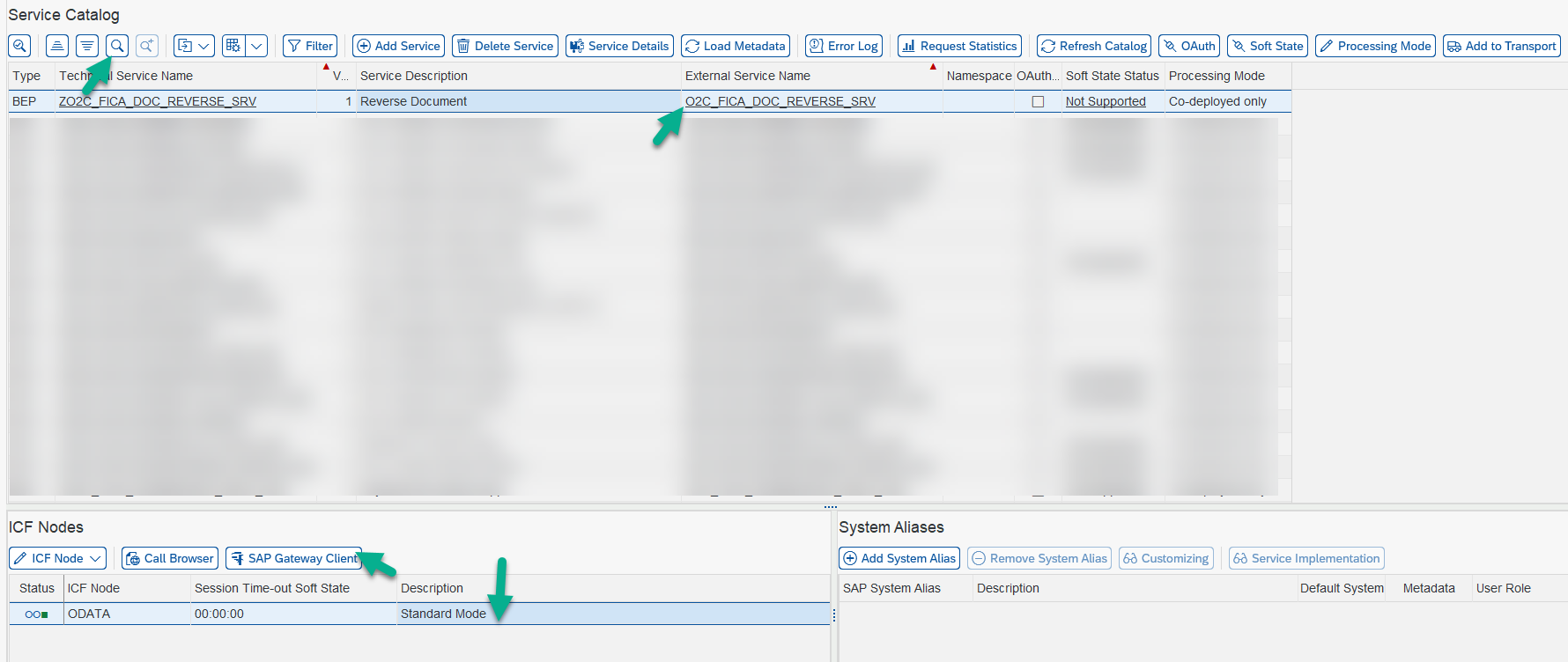
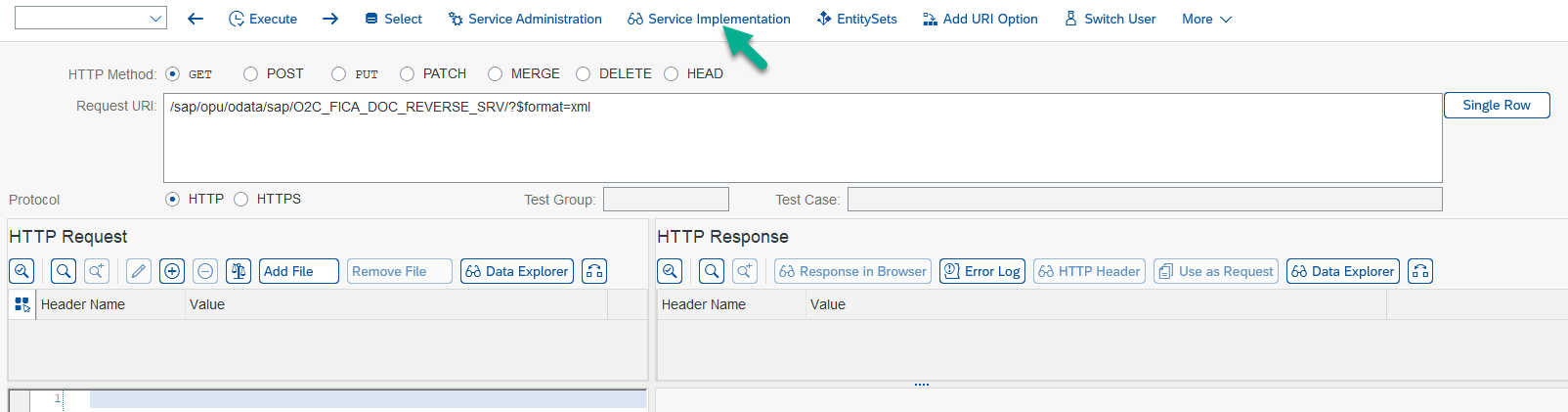
Go to transaction /IWFND/MAINT_SERVICE and search for the OData service: click the Find icon and enter the service name from the previous step.
Double-click the service, then under ICF Nodes select SAP Gateway Client.
Open the service implementation
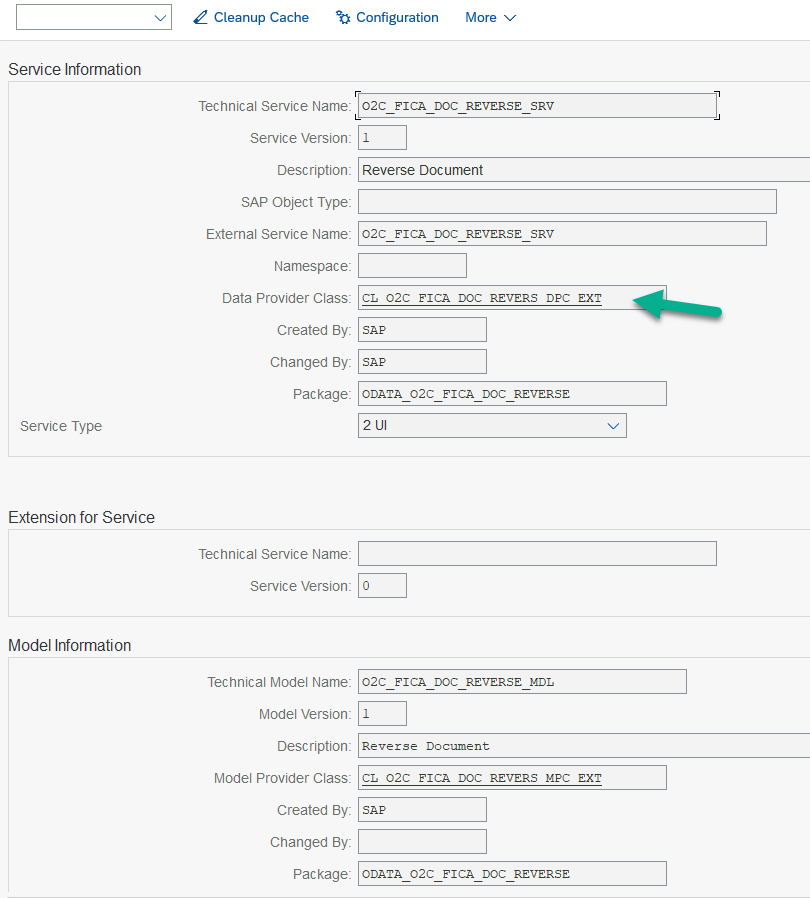
Click Service Implementation to display the service’s technical details.
Open the data provider class
Double-click the data provider class to open it in the Class Builder. Here it is CL_O2C_FICA_DOC_REVERS_DPC_EXT.
Display the object list
Click Display Object List.

Set the breakpoint in the redefinitions
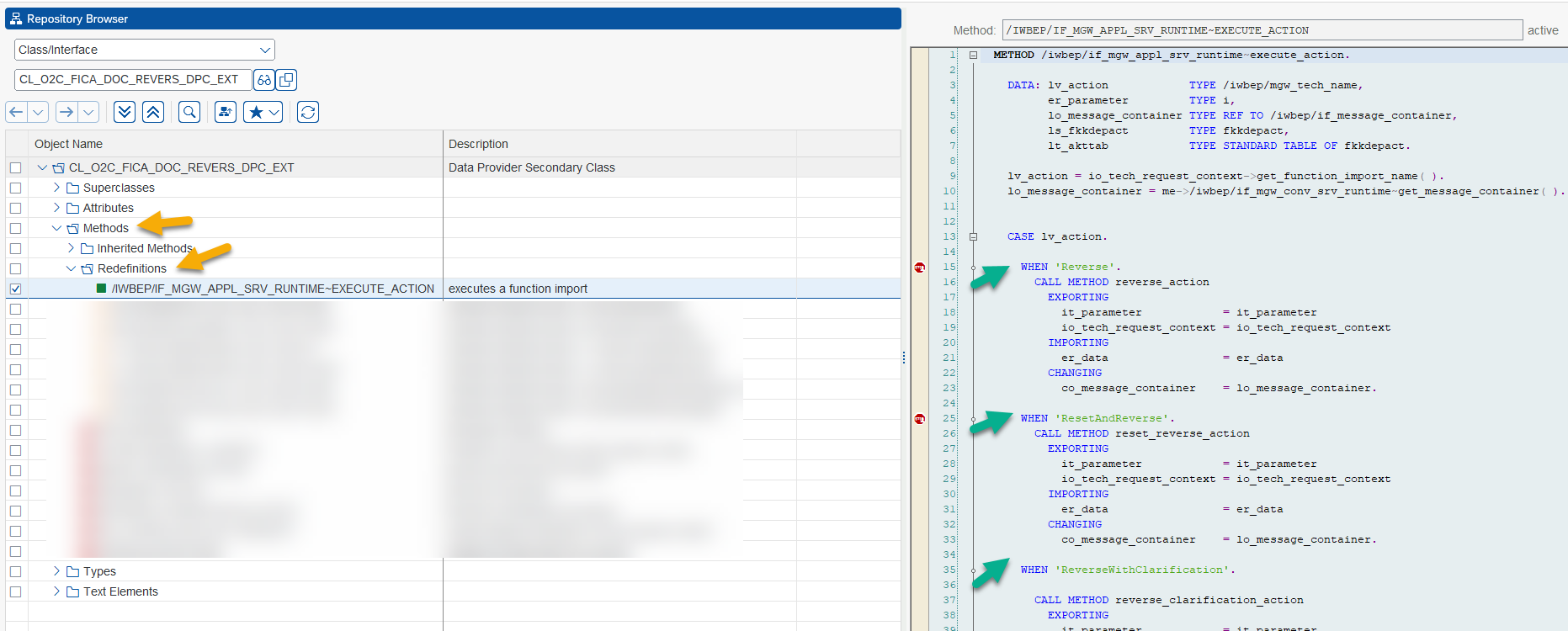
Under CL_O2C_FICA_DOC_REVERS_DPC_EXT, select Methods, then Redefinitions. This is the backend logic behind the Reverse button.
Set an external breakpoint here. The next time you trigger the call from the Fiori app, the debugger session starts.
This is one way to do it; there are others. If a user cannot see the app in the first place, see how to find the business role for an SAP Fiori app.
Frequently asked questions
How do I find which OData service a Fiori app uses?
Open the browser developer tools with F12, go to the Network tab and trigger the action in the app; the request shows the service name. For standard apps, the SAP Fiori apps reference library also lists the services.
Where do I set the breakpoint to debug a Fiori app's backend logic?
In the data provider extension class (DPC_EXT) of the OData service. Open the service in /IWFND/MAINT_SERVICE, go to Service Implementation, open the class, and set an external breakpoint in the redefined method.
Why an external breakpoint rather than a session breakpoint?
The Fiori app calls the backend over HTTP from the browser, not from your SAP GUI session, so only an external (user) breakpoint stops the call.
Continue your trail
You now have the Development context.
Save this guide, continue to the next concept or return to the Knowledge Library with your context intact.
Development
6 resources in this area.

Practical SAP notes, structured for review, reuse and long-term maintenance.
Working on an FI-CA or IS-U implementation? I take on a limited number of advisory and architecture engagements.
Get in touch →