
Quick answer
- Business role and business catalog: run
/UI2/FLIA, enter the app’s target mapping in the Intent field, and read the PFCG Role and ID of Catalog columns. - Technical catalog: open table
SUI_TM_MM_APPinSE16and readCAT_ID. - Space and page: run
/UI2/RSP_LISTfor the business role.
The rest of this guide walks through each step with screenshots.
How Fiori app access is structured
Users see a Fiori app or WebGUI transaction because it sits in a technical catalog, which is referenced by a business catalog, which is assigned to a business role. The role also assigns spaces and pages that control the launchpad layout.
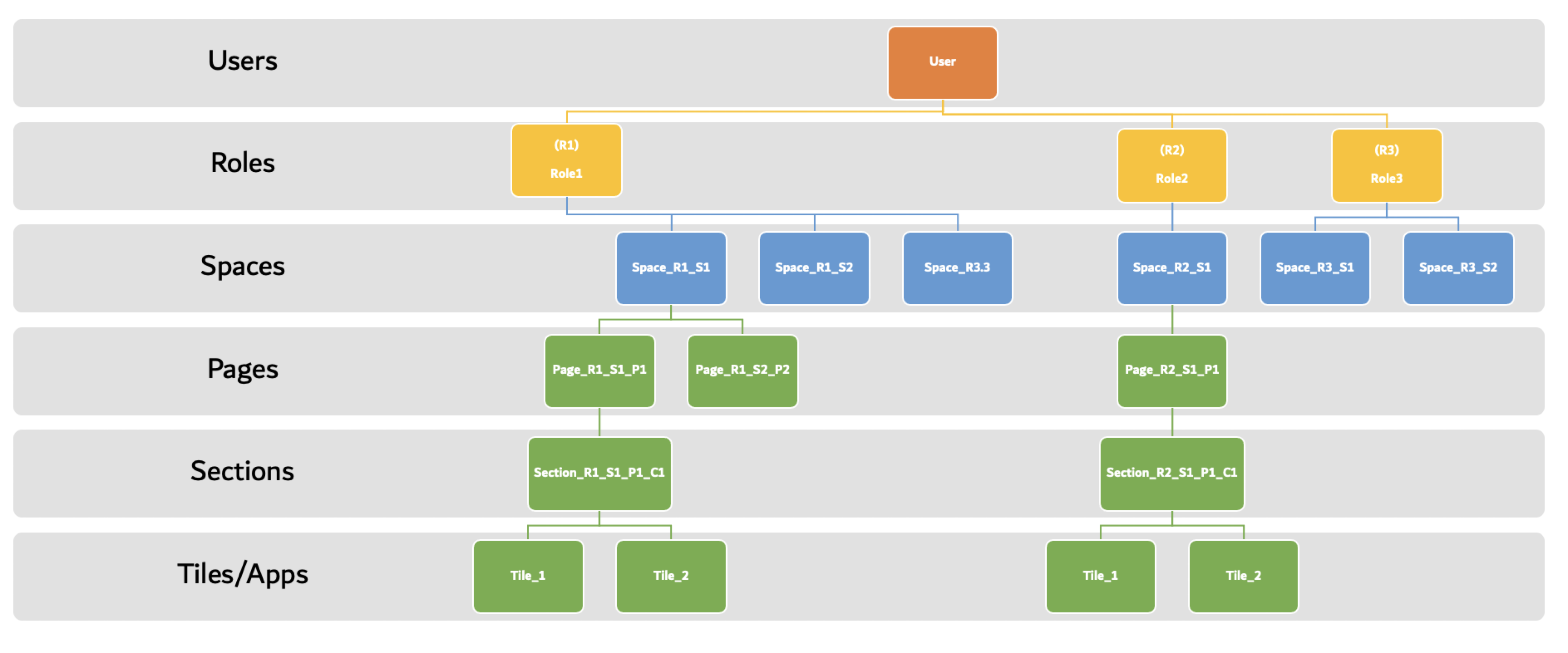
Find the business role
Follow these steps to find which business role contains a Fiori app or transaction.
T-Code: /n/ui2/flia
In the Intent field, replace - with the app’s target mapping and click Execute. You can leave the field as it is and filter the output instead, but on systems with many roles you may need to enter the intent for performance.
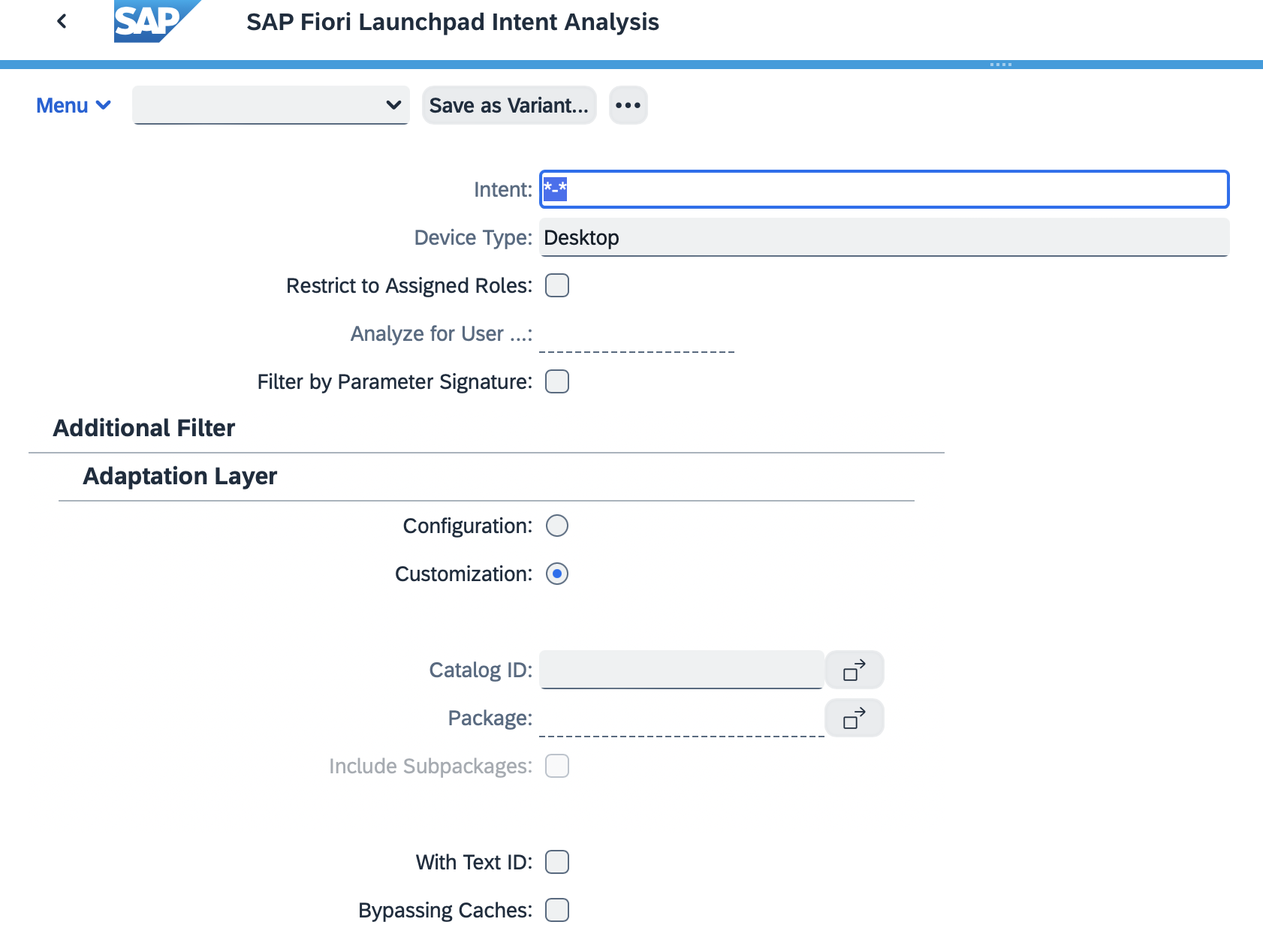
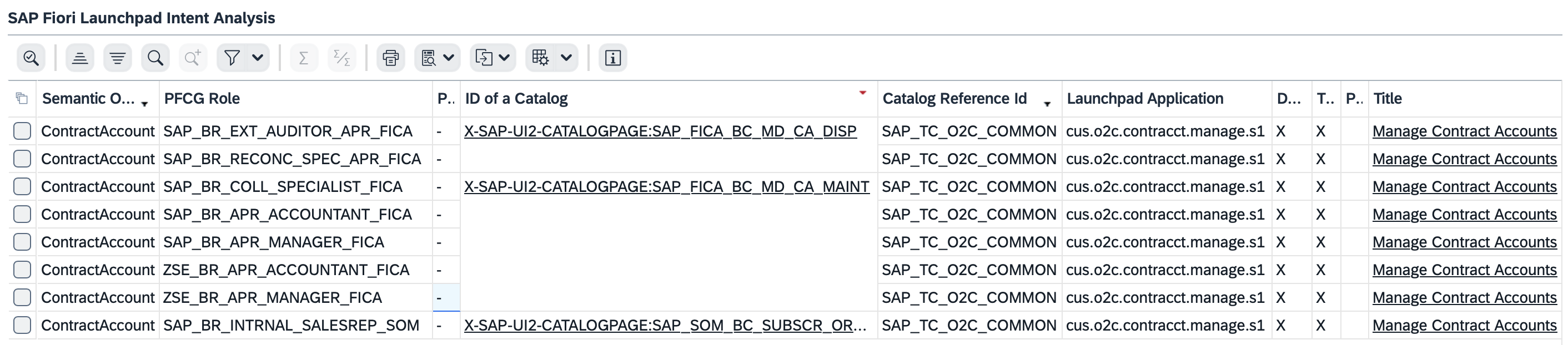
The output lists the business roles and related catalogs, along with:
- Semantic Object: the semantic object of the application
- PFCG Role: the business role
- ID of Catalog: the business catalog
- Catalog Reference Id: the technical catalog
- Launchpad Application: the SAPUI5 component
- Desktop, Tablet, Phone: device compatibility
- Title: the app name (UI5 or GUI)
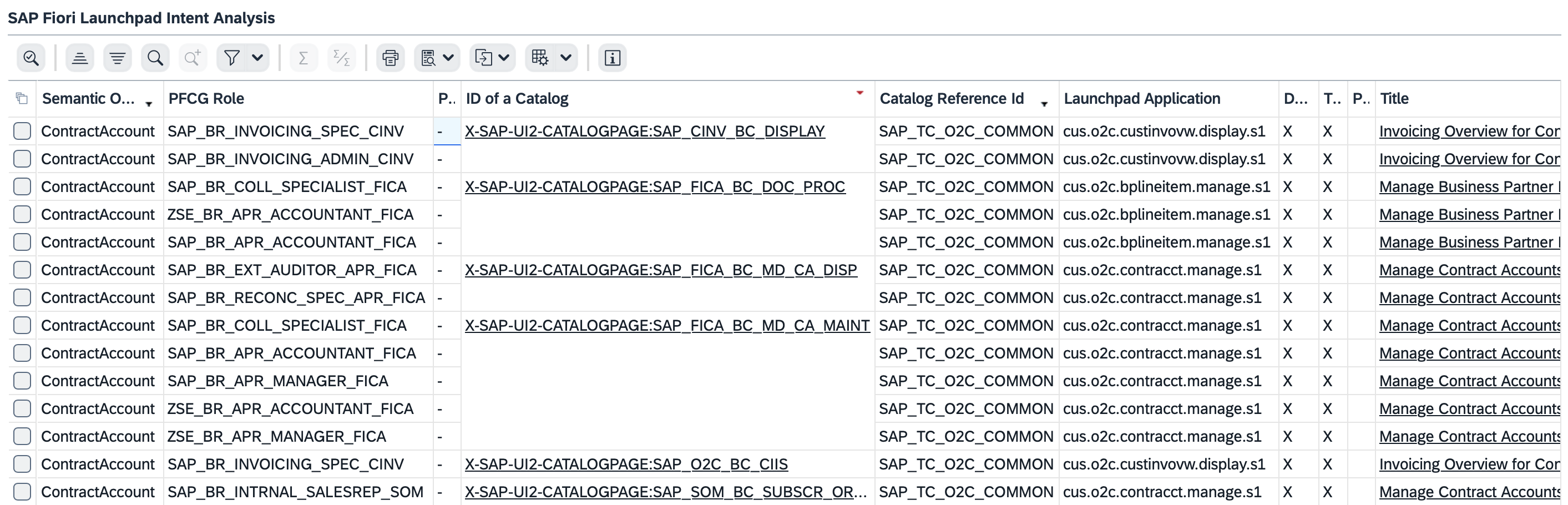
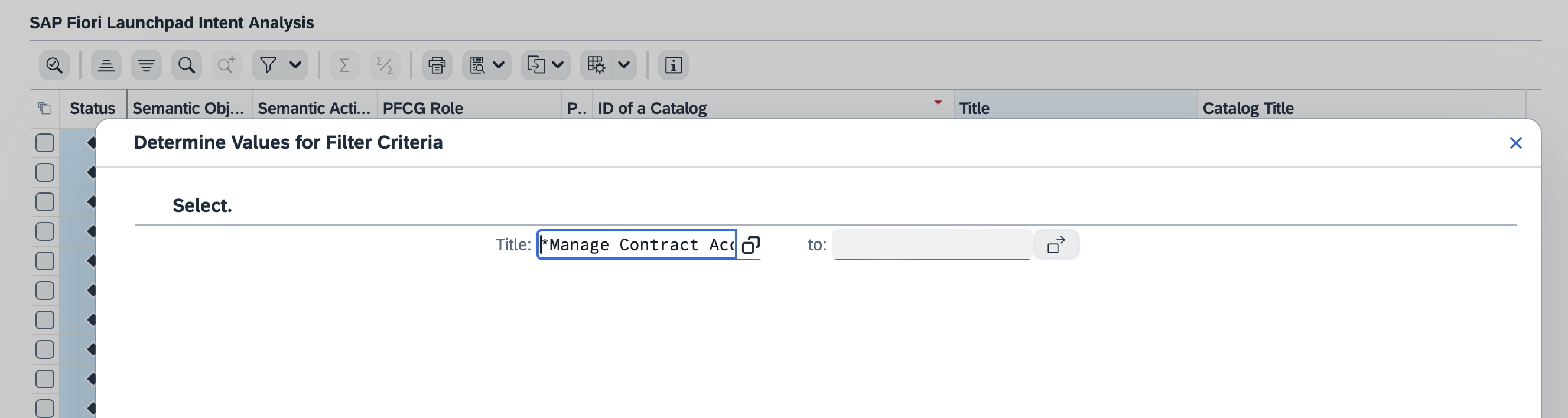
If you entered the exact target mapping, the output shows only the relevant business roles. If you ran it for all data, filter for the app or transaction you need. Here the filter is the app "Manage Contract Account".
The PFCG Role column is the business role assigned to the app or transaction. For this example, these are the business roles:
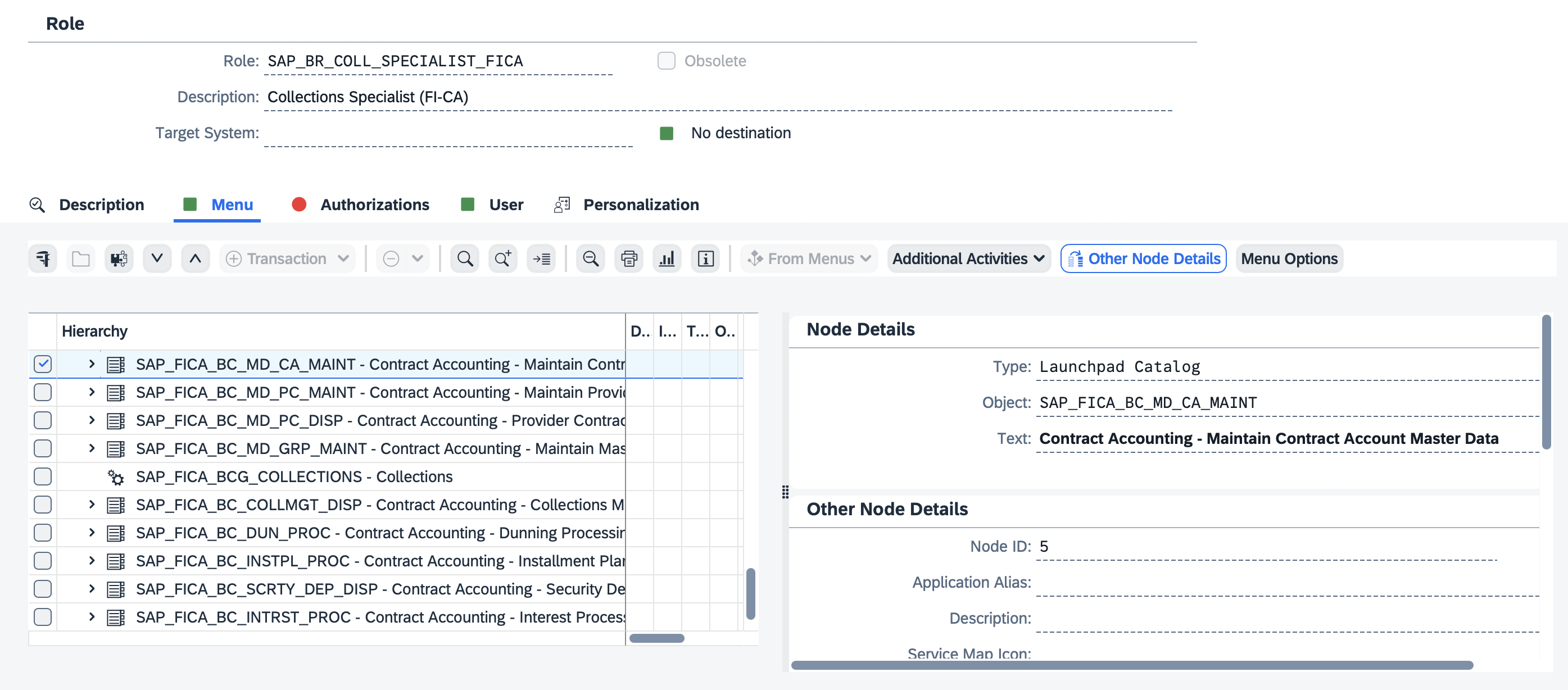
You can see the business catalog assigned to the business role in PFCG.
T-Code: PFCG
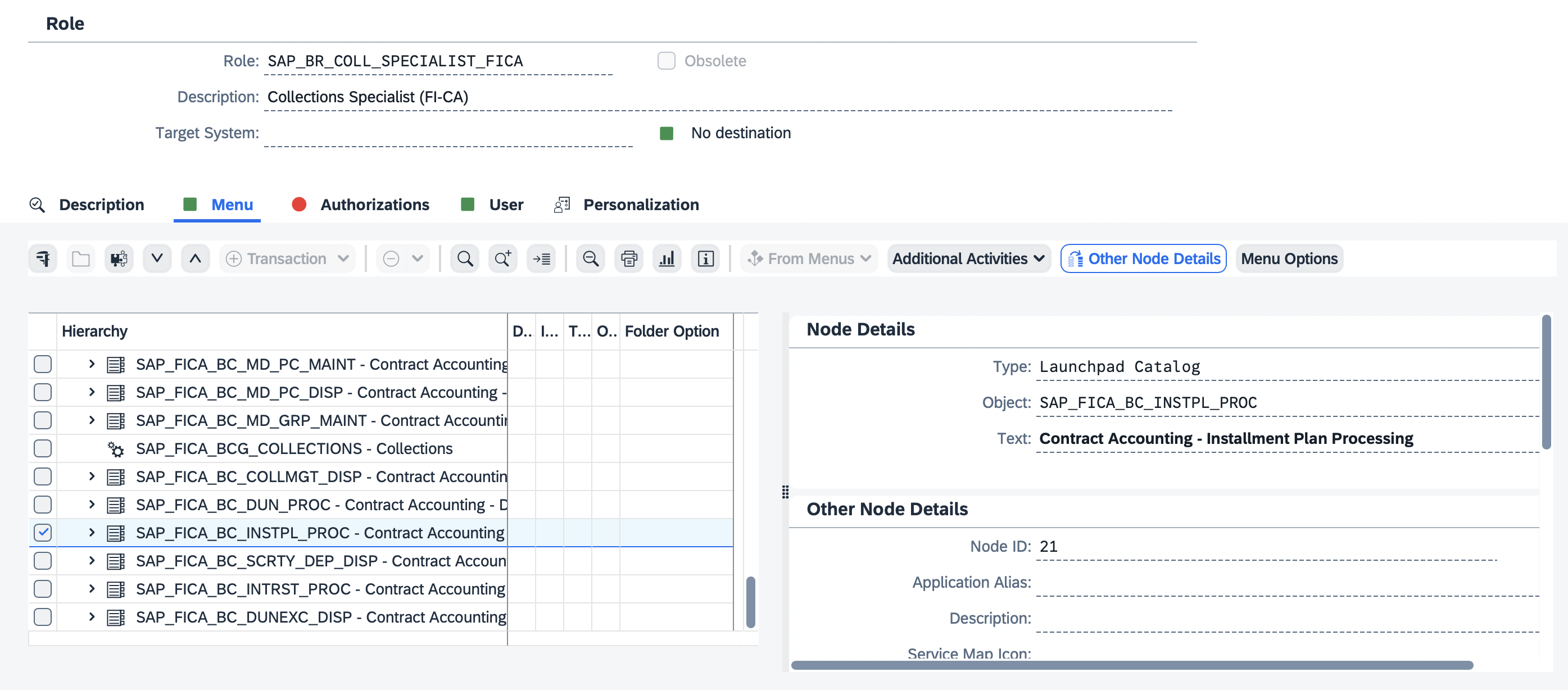
The same works for a WebGUI transaction. For example, to find the business role for Create Installment Plan, T-Code FPR1:

The business catalog is listed under the business role:
Find the SAP Fiori catalogs
There are two types of catalog:
- Technical catalog
- Business catalog
Technical catalog
T-Code: SE16
Table: SUI_TM_MM_APP
Enter the T-code or Fiori app ID on the selection screen.
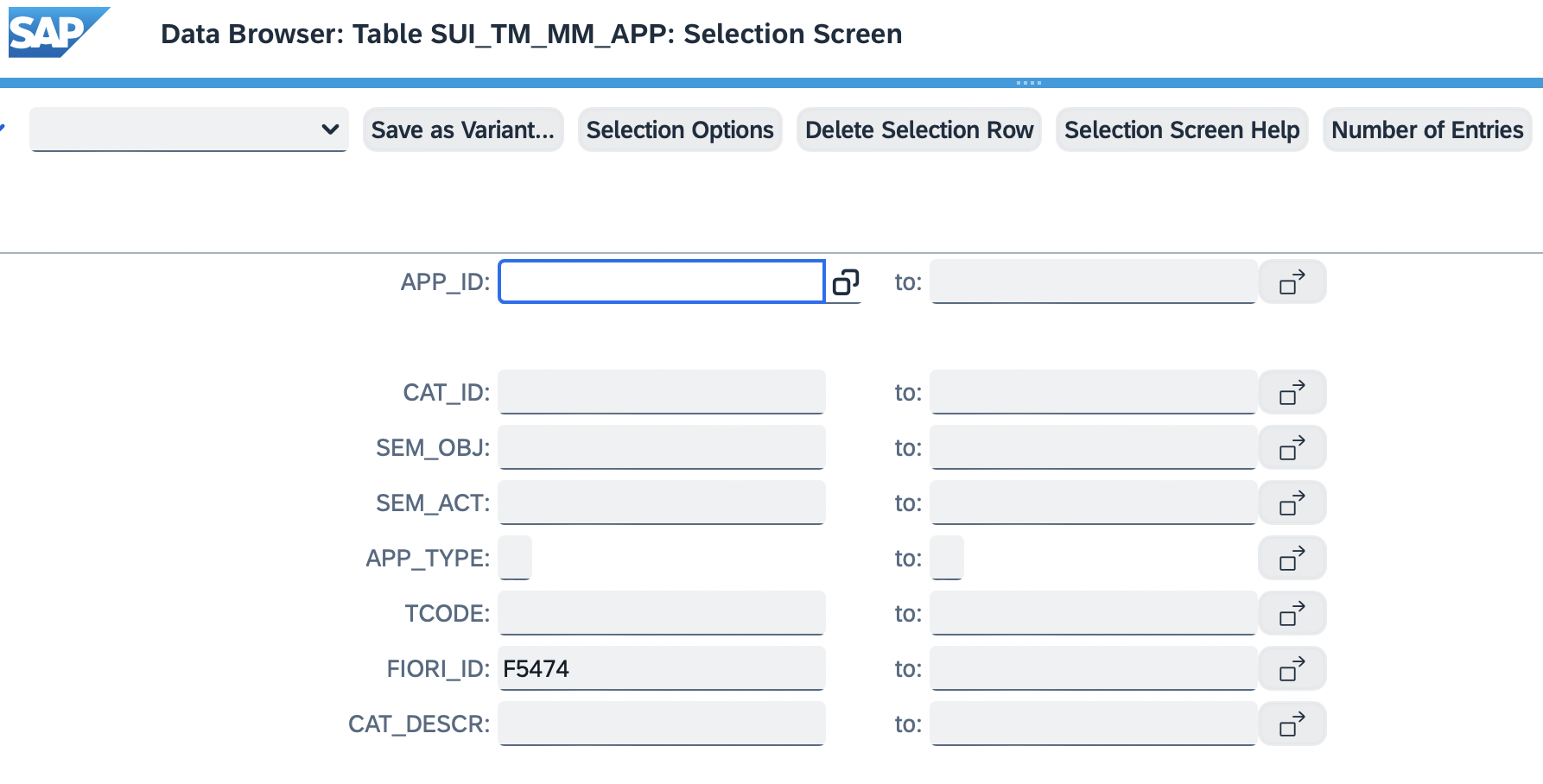
The technical catalog ID is in the output field CAT_ID.
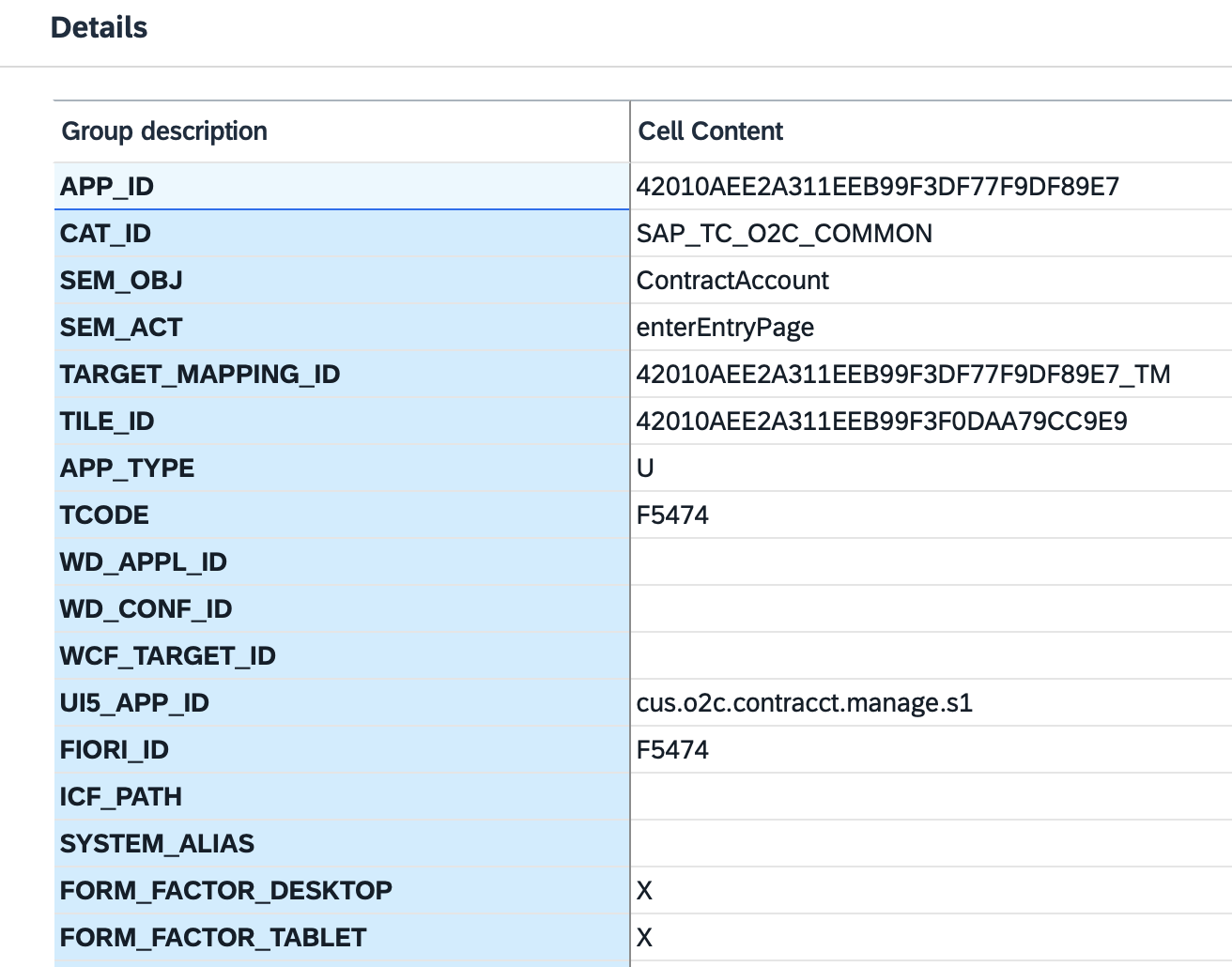
Enter a T-code in the same steps to get the related catalogs and apps for that transaction.
Business catalog
T-Code: /n/ui2/flia
Follow the same steps as in Find the business role above.
Other useful tables:
AGR_BUFFIAGR_HIER
Find the SAP Fiori space and page
Fiori apps and WebGUI transactions in a business role are assigned to spaces and pages, which control what the user sees on the launchpad after logging on.
T-Code: /n/UI2/RSP_LIST
Enter the business role you want the spaces and pages for.
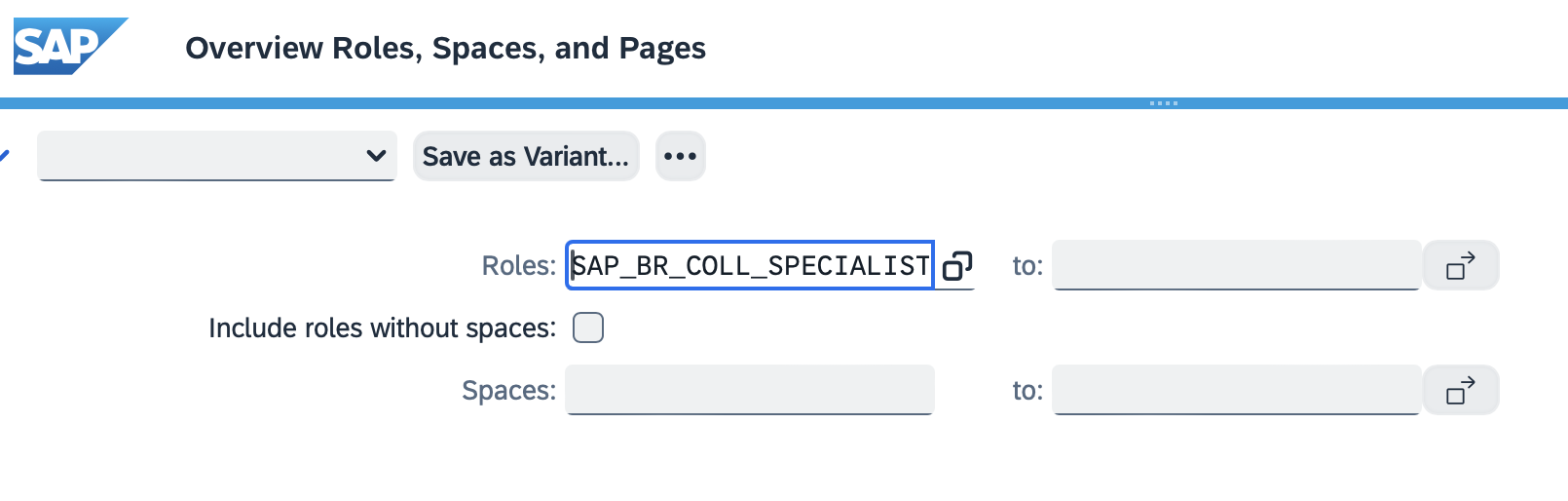
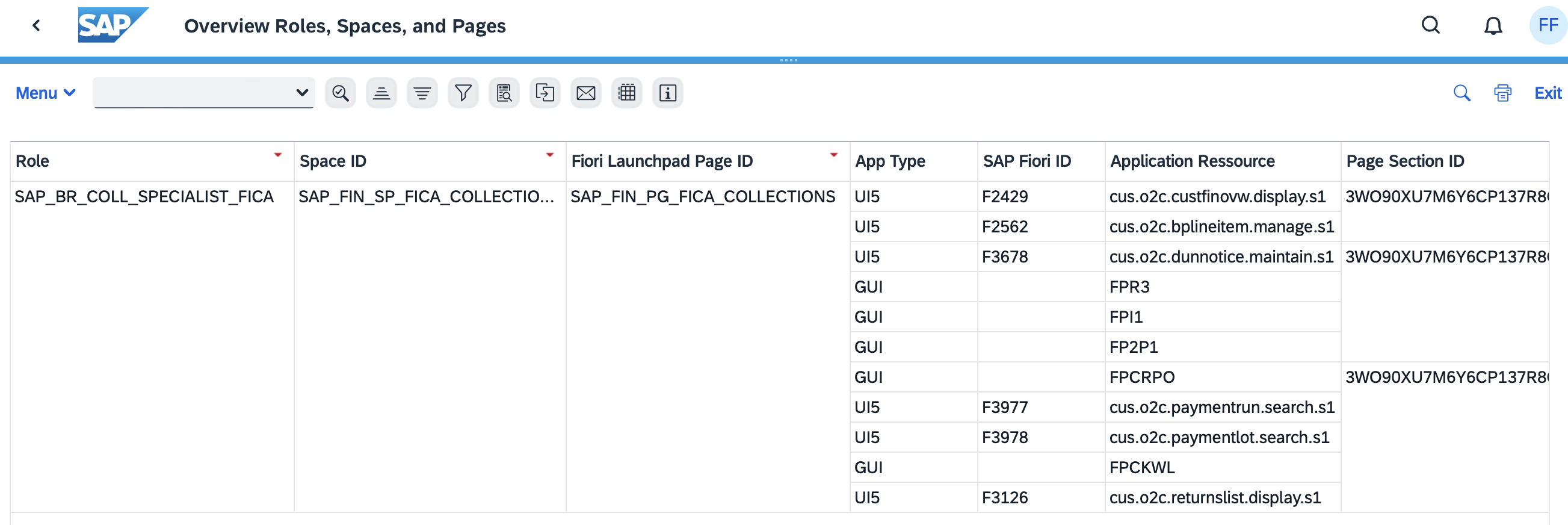
The output includes:
- Role
- Space ID
- Page ID
- Section ID
- App ID or transaction
- App type
Sample output:
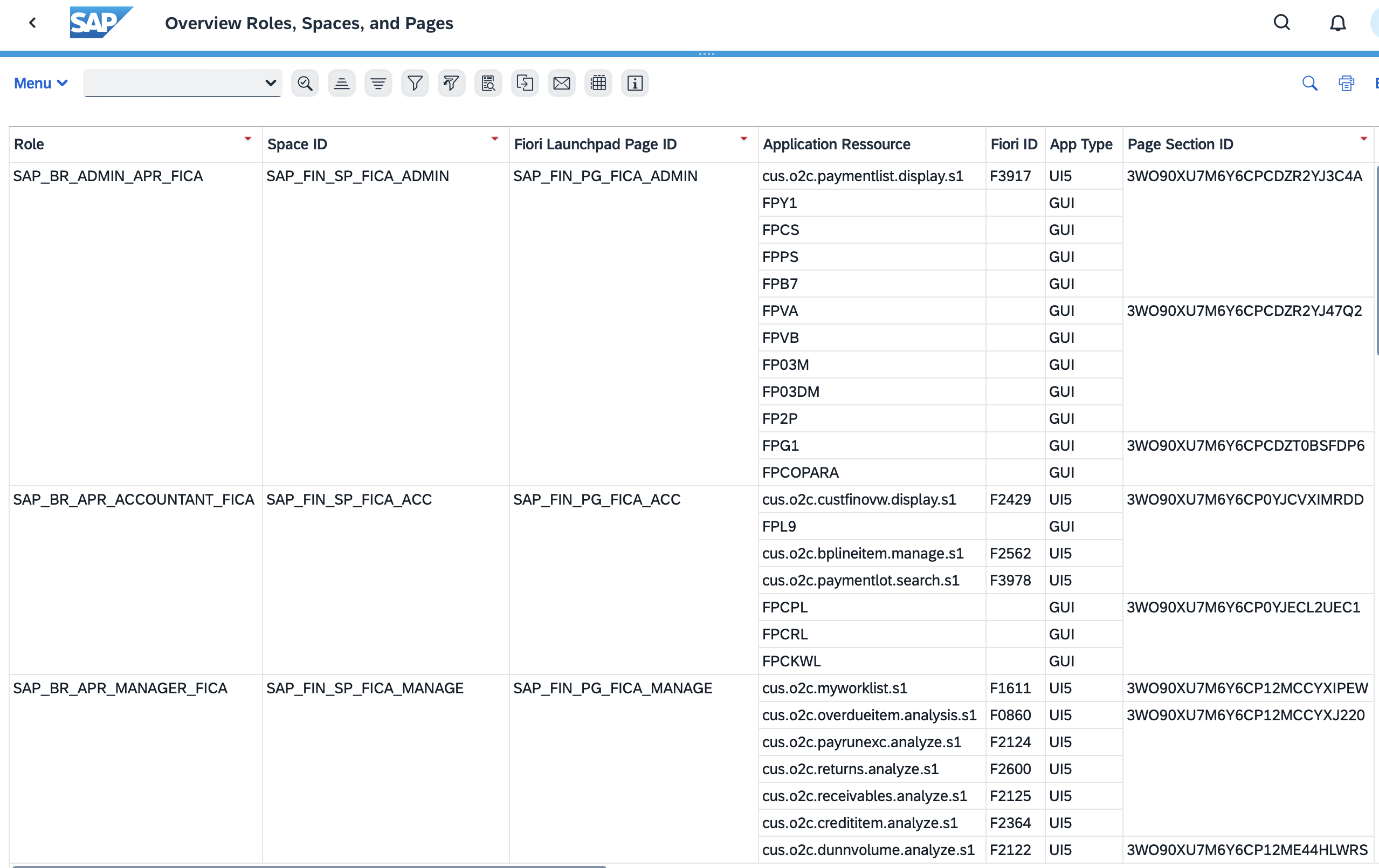
You can widen the selection and filter the output as needed. For example:
This is one way to find this information; there are others. To trace what an app does once a user can open it, see how to debug an SAP Fiori app.
Frequently asked questions
Which transaction shows the business role for a Fiori app?
/UI2/FLIA (Fiori Launchpad Intent Analysis). Enter the app's target mapping in the Intent field and execute; the PFCG Role column lists the business roles that contain the app.
How do I find the technical catalog of a Fiori app or transaction?
Open table SUI_TM_MM_APP in SE16 and select by the T-code or Fiori app ID. The CAT_ID field in the output is the technical catalog.
How do I see which space and page a Fiori app appears on?
Run /UI2/RSP_LIST with the business role. The output lists the space, page and section IDs for each app or transaction in that role.
Does this work for WebGUI transactions as well as Fiori apps?
Yes. Use the transaction code instead of the app, for example FPR1 (Create Installment Plan), and /UI2/FLIA returns its business roles and catalogs.
Continue your trail
You now have the Launchpad context.
Save this guide, continue to the next concept or return to the Knowledge Library with your context intact.
Launchpad
2 resources in this area.

Practical SAP notes, structured for review, reuse and long-term maintenance.
Working on an FI-CA or IS-U implementation? I take on a limited number of advisory and architecture engagements.
Get in touch →