
A UAE eInvoice is not finished when SAP successfully generates XML or when an API call returns 200 OK.
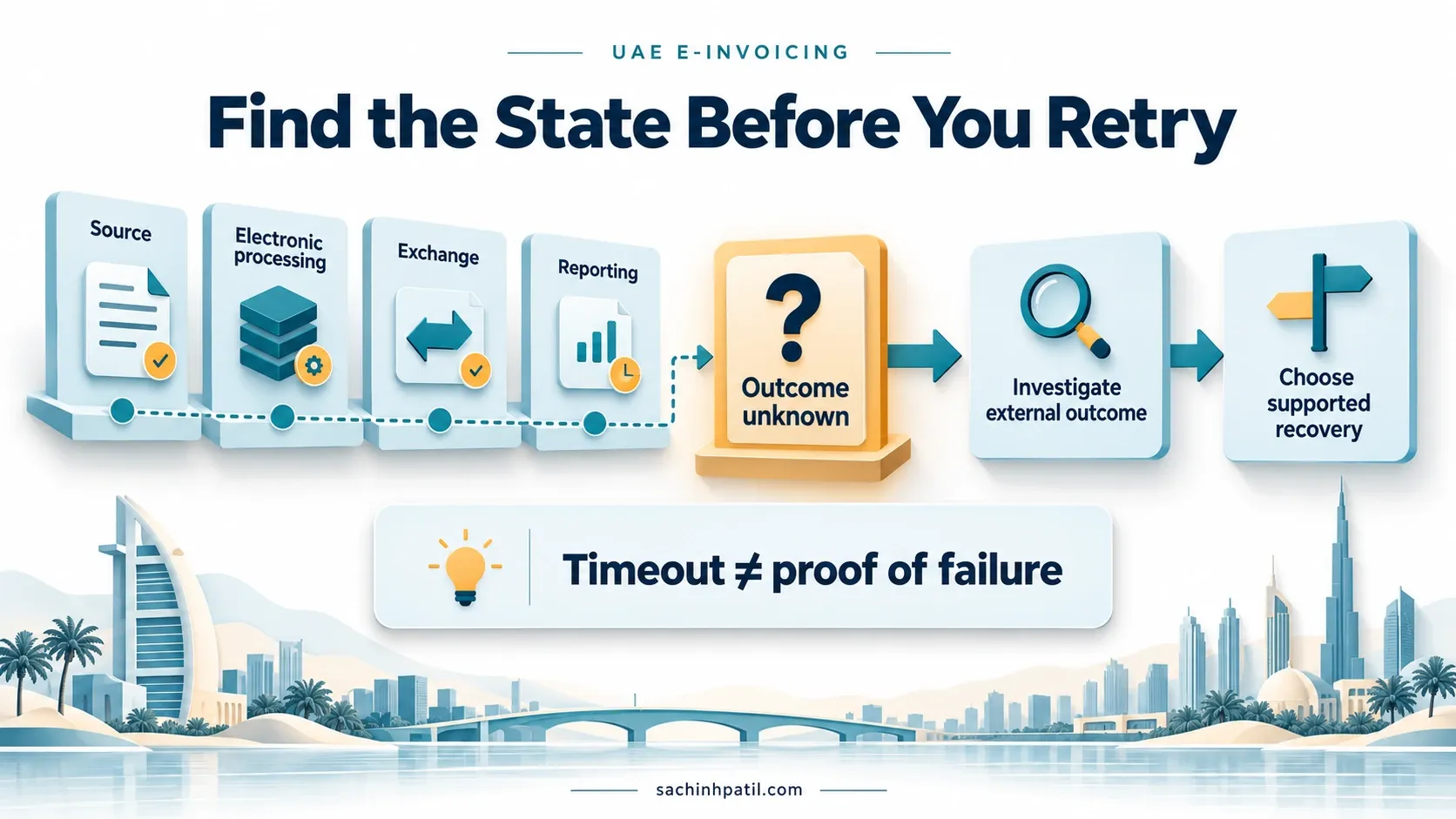
The document still has to move through the SAP eDocument process, the Peppol exchange, the receiving Access Point, and the UAE Tax Data reporting path. Each layer can return a different technical or business outcome.
That is why day-to-day eInvoicing operations need more than a single Sent / Failed flag.
For SAP teams, the practical objective is to answer five questions for every Electronic Invoice:
This article builds on SAP DRC Technical Implementation & Data Mapping and the SAP DRC Deep Dive.
Quick answer: monitor three different lifecycles
The most useful operational model is to separate three layers.
A document can succeed at one layer and still be waiting or failing at another.
That is the core reason a generic lifecycle such as:
Created → Submitted → Acceptedis too simplistic for UAE eInvoicing.
A better operational view is:
Following successful validation, Corner 3 also reports Tax Data to Corner 5. If Corner 3 validation is unsuccessful, it sends electronic failure confirmation instead and does not perform the normal successful TDD reporting for that validation outcome.
Official UAE source: UAE Ministry of Finance — eInvoicing
1. eDocument Cockpit is the SAP business-system control point
For SAP ERP and SAP S/4HANA releases that use it, the eDocument Cockpit is available through:
EDOC_COCKPITSAP documents the cockpit as the application used to:
- display eDocuments created from source documents;
- submit electronic documents;
- create/submit eDocuments in supported exceptional cases where automatic creation did not occur;
- monitor eDocument status;
- perform subsequent actions.
For other deployments, Manage Electronic Documents provides the corresponding operational experience.
Official SAP reference: eDocument Cockpit — UAE
2. SAP DRC cloud edition adds a second monitoring layer
For Peppol Exchange, SAP DRC, cloud edition provides the Monitor Documents app.
This matters because an error can occur after the document has already left the SAP business-system processing layer.
SAP documents Monitor Documents for Peppol Exchange and uses it to monitor documents exchanged with external communication parties.
A practical split is:
| Question | Primary SAP view |
|---|---|
| Was an eDocument created from my FI/SD source? | EDOC_COCKPIT / Manage Electronic Documents |
| What is the eDocument process status? | Business-system eDocument application |
| What happened in the Peppol cloud exchange? | SAP DRC cloud edition — Monitor Documents |
| Did the receiving AP return an MLR validation error? | Monitor Documents + eDocument/Application Log |
| Can a failed cloud exchange be retriggered? | Monitor Documents, where reprocessing is supported |
| What was the source business document? | Business-system eDocument/source navigation |
SAP also documents a process instance ID generated by the cloud edition for individual exchange process flows. This can be useful as a technical correlation identifier when tracing a document across cloud processing.
Official SAP references:
3. Understand the SAP status families before defining your dashboard
SAP eDocument processes use detailed statuses. Some represent completion, some represent temporary processing, and some require action.
Current SAP Peppol/eDocument documentation includes statuses such as:
| SAP status description | Operational interpretation |
|---|---|
| eDocument Created | eDocument exists and has not completed external exchange |
| Sending Requested | Submission has been requested / processing is underway |
| Error at Sending Access Point | Sending-side processing encountered an error |
| Received / Acknowledged by Access Point | The access-point layer has acknowledged receipt |
| Sent to Receiver Access Point | Document is in external Peppol exchange flow |
| Rejected by Receiving Access Point | Receiver-side processing rejected the exchange |
| Validation Error at Receiving Access Point | Receiver AP returned validation errors, typically through MLR |
| Accepted by Receiving Access Point | Receiver AP validation/exchange reached the accepted outcome for that process |
| Cancelled | eDocument was cancelled through the permitted process |
| Source Document Reversed | Underlying SAP business document was reversed |
Status names and available actions can vary with SAP product/release and process. Use the UAE documentation for the release being implemented rather than copying a status table from another country.
4. Message Level Response: validation failure at the receiving Access Point
Peppol Message Level Response (MLR) is central to understanding receiver-side errors.
SAP documents two broad validation classes:
- syntax errors — structural/formal errors against the expected format;
- semantic errors — content/business-rule errors, for example inconsistent or unexpected amounts.
For an outgoing Electronic Invoice:
SAP Help states that where the receiver AP returns an MLR validation error, EDOC_COCKPIT can show:
Valid. Error at Rec Acc Pointand the detailed error can be inspected in the Application Log.
Official SAP reference: Message Level Response
5. Error handling starts by classifying the failure correctly
The fastest support team is not the team that retries most often. It is the team that sends each failure to the correct owner.
Use a classification model such as:
The correction path is different for each class.
6. Typical business errors and where to fix them
The examples below are grounded in the UAE mandatory-data model and normal PINT-AE validation patterns. Exact SAP error-message text depends on release and validation layer.
| Example failure | Likely root cause | Fix at | Do not fix by |
|---|---|---|---|
| Seller/Buyer TIN or endpoint missing | Company/BP master incomplete | Master Data | Hard-coding endpoint in XML |
| TRN missing where applicable | Tax master incomplete | Tax/Business Partner master | Adding a constant in AIF |
| Buyer address incomplete | BP address quality | Master Data | Parsing invoice print text |
| Invalid UoM | Internal UoM not mapped to valid UNECE code | UNIT_OF_MEASURE_CODE / mapping |
Changing all SAP UoM master values |
| Wrong VAT category | SAP tax code mapped incorrectly | Tax configuration / AE_TAX_CATEGORY |
Manipulating output after tax calculation |
| Tax amount mismatch | Pricing/tax arithmetic or source data issue | Source document / tax calculation | Repeated transmission |
| Wrong invoice transaction type code | UAE scenario derivation incorrect | Business rule / mapping | Hard-coded 00000000 |
| Missing payment means | SAP payment method not mapped | AE_PAYM_MEANS_CODE |
Generic free text |
| Invalid Peppol XML | Mapping/schema/version issue | AIF/configuration / PINT-AE version | Manual XML editing |
| Receiver cannot be resolved | Participant ID/routing issue | BP/participant onboarding / ASP | Creating a new invoice |
The core rule is:
Correct the authoritative source, regenerate or reprocess through the supported SAP flow, and preserve traceability.
7. Correction and resubmission: use the right path
Not every error requires the same business action.
SAP’s current UAE documentation is explicit: if an Electronic Invoice has not yet been received by the customer, cancellation is permitted only for defined eDocument statuses, including:
- eDocument Created;
- Sending Requested;
- Error at Sending Access Point;
- Rejected by Receiving Access Point;
- Validation Error at Receiving Access Point.
If you cancel the eDocument, SAP requires the corresponding source document to be reversed/cancelled to keep the data consistent.
If the customer has already received the invoice, SAP directs the user to reverse the source document instead.
Official SAP reference: Cancelling Electronic Invoices Not Received by Customers Yet — UAE
8. Some receiving-Access-Point rejections can require manual status handling
SAP’s current UAE documentation also covers a special operational case.
If validation or communication problems are communicated offline by the receiving Access Point — for example by email — SAP documents a manual Reject eDocument action.
For the documented process:
- the eDocument must be in the appropriate acknowledged-by-receiver-Access-Point state;
- the user selects Reject eDocument;
- SAP changes the status to a validation-error state at the receiving Access Point;
- the user can then correct/resubmit or cancel as appropriate.
This is an important operational detail: not every external rejection necessarily arrives as a perfectly automated status transition.
Official SAP reference: Setting Customer Invoices Statuses to Rejected — UAE
9. Reprocessing in SAP DRC cloud edition
For supported cloud-edition processes, SAP provides reprocessing from the point of failure.
SAP Help states that when exchange with an external communication party fails, cloud edition can resume processing from where the previous attempt stopped rather than forcing the business to create a new document.
For Peppol Exchange, monitoring is done in Monitor Documents.
A controlled retry model looks like:
Official SAP reference: Reprocessing Documents and Reports with Errors
10. Tax Data reporting needs its own control
The UAE Guidelines require businesses to ensure that required Tax Data is shared with the FTA and to ensure receipt of confirmation messages from the ASP.
That means an operations dashboard should not stop at:
Accepted by Receiving Access PointA useful reconciliation model is:
The UAE Guidelines specifically say Persons should agree with their ASP how they will receive confirmation messages regarding the success or failure of both Electronic Invoice exchange and reporting.
This is not an optional nice-to-have for the support dashboard. It is part of readiness.
11. Do not confuse UAE MLS with SAP internal status
Message Level Status (MLS) is part of the UAE confirmation flow.
SAP eDocument status is the business-system representation of processing.
They should be correlated, not treated as identical vocabulary.
A good solution stores enough correlation information to explain how one external event caused one SAP status transition.
12. Application Log should be the first stop for SAP-side analysis
SAP Help explicitly points users to the Application Log for detailed eDocument errors, including MLR validation errors returned by the receiving Access Point.
A practical triage sequence is:
Open the eDocumentConfirm source document, eDocument process and current status.
Review HistoryIdentify the last successful process stage.
Open Application LogRead the actual validation/processing message before changing data.
Check XML / previewCompare output with the source business transaction.
Check Monitor DocumentsIf the failure occurred in Peppol/cloud processing, inspect the cloud-layer status.
Assign ownerData • Tax • Functional • Integration • Basis/Security • ASP.
Correct and reprocessUse the supported action for that process stage.
A support model that begins with “please resend the invoice” skips the most valuable diagnostic evidence.
13. Build an exception-first operating model
Normal invoices should move automatically. People should work the exceptions.
These colours are an operational dashboard recommendation, not SAP or UAE regulatory status definitions.
A daily operational queue should prioritize:
- failed invoices;
- invoices approaching the statutory/operational transmission deadline;
- documents with exchange confirmation but missing reporting confirmation;
- repeated failures with the same root cause;
- service-disruption backlog;
- aged inbound supplier invoices not reaching AP processing.
14. Error ownership matrix
The monitoring solution should route failures by root cause.
| Error category | Primary owner | Example | Expected action |
|---|---|---|---|
| Business Partner / company data | Master Data | Missing TIN/TRN/address | Correct master; reprocess |
| Tax classification | Tax + SAP functional | Wrong VAT category/rate | Confirm treatment; correct mapping/source |
| Billing/pricing | SD/FI/Business | Amount mismatch | Correct/reverse business document as appropriate |
| AIF/value mapping | SAP DRC functional | UoM/payment/tax mapping missing | Configure mapping; retest |
| eDocument configuration | SAP DRC functional | Wrong/no eDocument type | Correct Customizing |
| Connectivity/certificate | Basis/Integration/Security | Service cannot communicate | Restore technical connection; reprocess |
| Peppol participant/routing | ASP + Master Data | Receiver not discoverable | Correct participant/onboarding information |
| Receiving AP validation | Functional/Tax + ASP | MLR semantic rejection | Read MLR; correct source/mapping |
| Corner 5 reporting | ASP + Tax/Compliance | TDD reporting confirmation issue | Investigate reporting status with ASP |
| Service outage | ASP / IT operations | Electronic Invoicing System unavailable | Follow disruption procedure and regulatory notification process |
15. System Failure is a compliance event, not only an IT incident
Cabinet Decision No. 106 of 2025 defines System Failure as a technical malfunction, disruption or unavailability of the Electronic Invoicing System that prevents the Issuer or Recipient from complying with its obligations.
The Decision provides penalties of:
| Violation | Penalty |
|---|---|
| Issuer fails to notify the Authority of a System Failure within the prescribed timeline | AED 1,000 for each day of delay or part thereof |
| Recipient fails to notify the Authority of a System Failure within the prescribed timeline | AED 1,000 for each day of delay or part thereof |
The June 2026 Guidelines further state that ASPs must notify the Person/Government Entity and the FTA of disruptions, and exchange/report pending Electronic Invoices once service resumes.
This should be integrated with the enterprise incident-management process:
16. Monitoring and retention are different controls
SAP DRC cloud monitoring is not automatically your statutory archive.
SAP states that for Peppol Exchange, the cloud edition keeps documents that have not been successfully exchanged so they can be retriggered. For successfully exchanged Peppol documents, data-protection/retention handling sits in the business systems.
Separately, the UAE Guidelines require the Person to retain Electronic Invoices, Electronic Credit Notes and associated data for the applicable statutory period.
The Guidelines also require ASPs to retain transactional logs and technical traceability, including:
- unique transaction identifiers;
- transmission statuses;
- routing information;
- end-to-end exchange/reporting technical records.
These ASP logs are distinct from the business-document retention obligation of the Person.
A clean architecture therefore separates:
Official SAP reference: Data Protection and Privacy — Peppol Exchange
17. Design reconciliation, not just monitoring
Monitoring answers:
“What is the status right now?”
Reconciliation answers:
“Did every required business document reach an explainable final outcome?”
For a daily or periodic reconciliation, compare:
Eligible SAP source documents
        ↓
eDocuments created
        ↓
eDocuments submitted
        ↓
Peppol exchange outcomes
        ↓
Corner 5 reporting confirmations
        ↓
Cancelled / reversed / corrected documents
        ↓
Unresolved exceptions
A useful control report should identify:
- source documents with no eDocument;
- eDocuments not submitted;
- documents stuck in an in-process state beyond an agreed threshold;
- receiver validation errors;
- missing reporting confirmations;
- cancelled eDocuments whose source was not cancelled/reversed correctly;
- source reversals with unresolved Electronic Invoice follow-up;
- duplicate or repeated submissions;
- service-outage backlog.
This is a stronger compliance control than manually scanning cockpit rows.
18. Interactive error triage helper
The helper below is a project/user-support aid. It does not replace SAP logs or official response messages.
19. What should business users be allowed to change?
A well-governed model avoids giving operational users technical correction tools they do not need.
Business users should normally
- monitor assigned exceptions;
- navigate to the source document;
- understand the business error;
- request/correct permitted master-data or transaction data;
- trigger supported resubmission/cancellation actions according to role;
- confirm that the status reaches the expected final outcome.
SAP functional / technical support should normally
- analyse AIF/value mappings;
- review Application Log and interface details;
- correct configuration;
- investigate Cloud Connector/service/certificate issues;
- analyse Monitor Documents;
- coordinate with the ASP/SAP where network/cloud processing is involved.
Tax / compliance should normally
- decide tax treatment;
- validate UAE scenario classification;
- determine whether a correction requires a credit note/reversal;
- own regulatory incident escalation;
- reconcile required reporting confirmations.
The goal is not to make every Finance user a Peppol technician.
20. Operational KPIs that are actually useful
A mature support model should measure more than invoice volume.
| KPI | Why it matters |
|---|---|
| eDocument creation success rate | Detect source/configuration gaps |
| First-pass validation success | Measures source/master-data quality |
| Receiver-AP validation-error rate | Highlights PINT-AE/data issues |
| TDD reporting confirmation completeness | Confirms reporting path visibility |
| Average exception age | Shows operational backlog risk |
| Reprocessing success rate | Measures correction effectiveness |
| Repeat error by root cause | Prioritizes permanent fixes |
| Unmatched source/eDocument count | Detects compliance coverage gaps |
| Outage backlog count/age | Tracks recovery after disruption |
| Inbound invoice processing age | Prevents received documents from disappearing into AP queues |
Do not optimize the team to close tickets quickly if the same error returns every day. Root-cause elimination is the better KPI.
21. A practical support runbook
A production runbook can follow this sequence:
Identify the source documentCompany code • document number • invoice type • business process.
Find the eDocumentConfirm creation and current process status.
Find the last successful stageSAP → DRC → receiving AP → Corner 5.
Read the actual log/messageApplication Log • MLR • Monitor Documents • ASP confirmation.
Classify the root causeData • business • mapping • technical • Peppol • reporting.
Correct the authoritative sourceAvoid manual XML edits and uncontrolled overrides.
Use the supported recovery actionResubmit • reprocess • cancel • reverse/credit as appropriate.
Verify exchange and reportingDo not stop at successful resubmission request.
Close with evidenceRecord final status, root cause and preventive action.
Common monitoring mistakes
Treating HTTP 200 as compliance success
It only proves one technical call completed. It does not prove receiver validation or Corner 5 reporting.
Using one generic Accepted status
Accepted by which layer? SAP, sending AP, receiving AP or reporting path? Preserve the actual meaning.
Retrying before reading the error
A missing TRN will still be missing after ten retries.
Editing generated XML manually
Correct the SAP source/master/configuration and regenerate through the controlled process.
Cancelling an eDocument after the customer has already received the invoice
SAP’s UAE documentation directs the business to reverse the source document once the customer has received the Electronic Invoice.
Monitoring outbound only
Inbound supplier invoices also pass through SAP DRC and require exception handling.
Assuming cloud monitoring equals statutory retention
Operational cloud storage and the Person’s UAE retention obligation are separate controls.
Ignoring recurring errors because resubmission works
If the same UoM, tax code or BP field fails repeatedly, fix the mapping/master-data rule permanently.
Three actions for implementation teams
1. Design three status layers explicitly
Document the SAP eDocument state, Peppol/receiver validation state and UAE TDD/Corner 5 reporting state separately. Build correlation between them.
2. Create a root-cause routing matrix before go-live
Each error should have a known owner, correction source and permitted recovery action. This prevents Finance, IT and the ASP from passing the same issue between teams.
3. Reconcile every eligible source document to a final outcome
Monitoring tells you what failed. Reconciliation tells you what is missing. Use both.
Related practical guides
Frequently asked questions
What is EDOC_COCKPIT used for?
SAP documents eDocument Cockpit as the application for displaying, submitting and monitoring eDocuments created from source documents and for performing permitted subsequent actions.
Is “Accepted by Receiving Access Point” the same as FTA reporting success?
No. Receiver-Access-Point processing and UAE Tax Data reporting to Corner 5 are separate parts of the lifecycle.
Where can I see detailed receiver validation errors?
SAP documents the Application Log for detailed eDocument errors. Peppol MLR information can also be monitored through SAP DRC cloud edition’s Monitor Documents app.
What does an MLR rejection mean?
Message Level Response can report syntax or semantic validation errors found by the receiving Access Point. The document must be corrected before successful receiver-side processing can continue.
Should I create a new invoice after a technical sending failure?
Normally, no. Correct the technical/root-cause issue and use the supported resubmit/reprocess path for the existing business document where applicable.
Can an eDocument be cancelled?
SAP’s current UAE documentation permits cancellation only in defined pre-receipt statuses. The corresponding source document must also be cancelled/reversed for consistency.
What if the customer has already received the Electronic Invoice?
SAP’s UAE documentation states that you should reverse the source document rather than simply cancelling the eDocument.
What happens during an ASP/service outage?
The UAE Guidelines require disruption notification and the exchange/reporting of pending Electronic Invoices once service resumes. The enterprise should maintain and reconcile the backlog.
Does SAP DRC cloud edition store all successful Peppol invoices permanently?
SAP states that for Peppol Exchange, cloud edition keeps documents that have not been successfully exchanged for retriggering. Successful-document retention/data protection is handled in the business systems. This is separate from UAE statutory retention obligations.
Official references
UAE Ministry of Finance
- UAE Electronic Invoicing Guidelines V1.1 — 01 June 2026
- Cabinet Decision No. 106 of 2025 — eInvoicing violations and penalties
- UAE Ministry of Finance — eInvoicing
SAP
- eDocument Cockpit — UAE
- Submitting Customer Invoices Using SAP DRC, Cloud Edition — UAE
- Receiving Supplier Invoices Using SAP DRC, Cloud Edition — UAE
- Message Level Response
- Consumption of Peppol Exchange / Monitor Documents
- Reprocessing Documents and Reports with Errors
- Cancelling Electronic Invoices Not Received by Customers Yet — UAE
- Setting Customer Invoices Statuses to Rejected — UAE
- Data Protection and Privacy — Peppol Exchange
Disclaimer: this article is to provide you the general info for your business specific requirements, get the advise from your appointed legal advisor.
Continue your trail
You now have the e-Invoicing context.
Save this guide, continue to the next concept or return to the Knowledge Library with your context intact.
e-Invoicing
3 resources in this area.

Practical SAP notes, structured for review, reuse and long-term maintenance.
Working on an FI-CA or IS-U implementation? I take on a limited number of advisory and architecture engagements.
Get in touch →