
The difficult part of UAE eInvoicing in SAP is not producing an XML file. It is making sure the right SAP business document creates the right eDocument, the right legal and tax master data is available, internal SAP values are converted to the correct UAE/PINT-AE values, and the final document survives both business-rule and network validation.
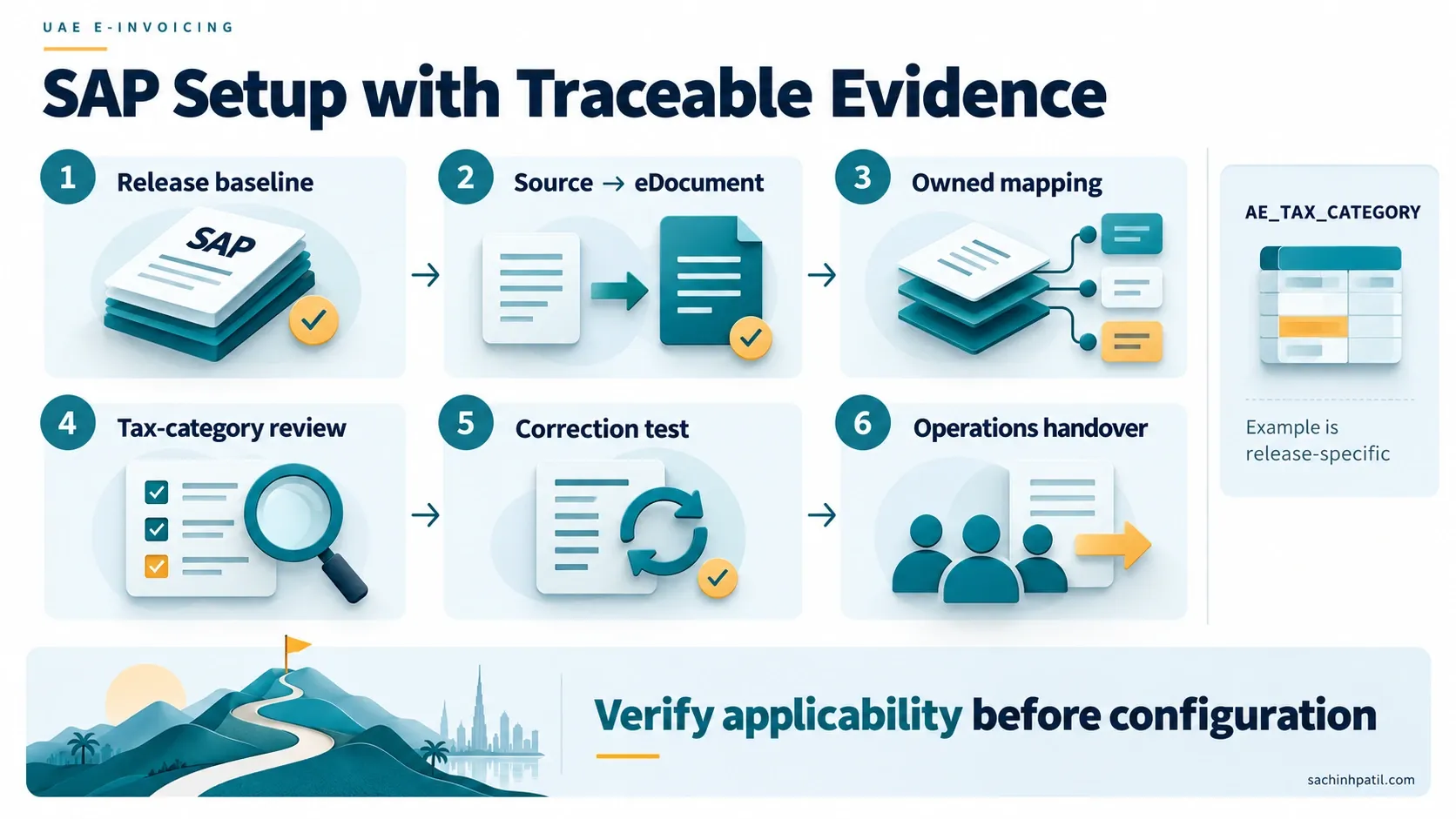
That is where SAP Document and Reporting Compliance (SAP DRC), the Electronic Document Processing Framework and Application Interface Framework (AIF) come together.
This article focuses on the technical implementation layer: how a SAP team can move from UAE requirements to a controlled SAP configuration and mapping design without turning the project into a collection of hard-coded fixes.
This article assumes you already understand the SAP DRC architecture for UAE eInvoicing and the UAE PINT-AE data model.
Quick answer
A controlled SAP DRC implementation can be organized into eight layers:
The guiding principle is simple:
Do not solve missing business data with mapping logic. Do not solve mapping problems with custom code.
1. Start with the SAP source document — not the XML
UAE eInvoicing starts when a relevant business transaction creates a source document in SAP.
Depending on the business process and supported SAP release, the source can include areas such as:
- Finance customer documents;
- Sales and Distribution billing;
- Settlement Management;
- self-billing;
- supplier invoice processes;
- supported external documents;
- other source applications documented by SAP for the applicable release.
SAP configuration determines which source documents create eDocuments.
This separation is essential because the source document and eDocument have different jobs:
| Object | Purpose |
|---|---|
| SAP source document | Commercial/accounting transaction |
| eDocument | Compliance-processing instance linked to the source |
| Electronic Invoice XML | Structured external document used for exchange |
| SAP DRC cloud status | Peppol/reporting processing evidence |
If the source document is wrong, generating a technically valid XML does not make the transaction correct.
2. Activate the relevant source document types
Current SAP UAE documentation requires source-document activation and assignment of appropriate eDocument types.
SAP S/4HANA Cloud Public Edition documentation currently lists configuration activities such as:
| Configuration activity | Why it matters |
|---|---|
| Activate Source Type Documents for Company Code | Defines which source-document types participate in Electronic Document Processing |
| Assign eDocument Type to Accounting Document Type | Creates UAE eDocuments from relevant accounting documents |
| Assign eDocument Type to Billing Document Type | Creates UAE eDocuments from supported billing documents |
| Assign eDocument Type to Settlement Document Type | Creates UAE eDocuments from supported Settlement Management documents |
| Assign eDocument Type to Invoice Verification | Relevant to supported supplier-side processing |
| Define Interface Type for eDocument | Determines the implementation/interface used to generate and send the eDocument |
SAP documents UAE eDocument types including:
| eDocument type | Current SAP description |
|---|---|
AE_INV |
UAE Customer Invoice |
AE_CRE |
UAE Credit Memo |
AE_INVSB |
UAE Self-Billing Invoice |
For SAP S/4HANA on-premise, SAP also documents the EDOINTTYPEV configuration view for Define Interface Type for eDocument and shows AE_INV / AE_CRE using Standard Implementation using AIF.
Official SAP references:
- Business Settings — UAE
- Define Interface Type for eDocument — UAE
- Assign eDocument Type to Accounting Document Type — UAE
3. Master data is the first real implementation dependency
Many eInvoicing errors that appear to be “XML problems” are actually master-data problems.
The UAE mandatory dataset requires legal identity, electronic identity, tax identity and address information for the parties. SAP therefore needs a consistent source for:
Seller VAT Registration Number
For SAP S/4HANA Cloud Public Edition, SAP documents the Edit Tax Information for Company Codes configuration activity and states that the UAE VAT Registration Number is maintained in the VAT Registration No. field.
Official SAP reference: Configuring Tax Registration Number for Company Code — UAE
The UAE Ministry mandatory-field document states that a UAE seller registered for tax should provide its TRN as the Seller tax identifier.
Peppol Participant ID / TIN
SAP’s UAE master-data documentation defines:
Participant ID = <Scheme ID>:<Party ID>For UAE:
Party ID Type: AE:TIN
Scheme ID:     0235
Party ID:      UAE Tax Identification Number (TIN)
Therefore a normal UAE participant is represented using the UAE TIN with scheme 0235.
Official SAP reference: Master Data — UAE
Assign Party ID Types to the Business Partner
SAP’s UAE Customizing documentation includes Assign Party ID Types to Business Partner. For on-premise SAP S/4HANA, the documented Customizing view is EDOEUBUPAV.
SAP shows AE:TIN as the UAE Tax Identification Number party ID type.
For SD billing, company code and sales organization can be used to make the assignment more specific. SAP’s current documentation also warns that for accounting/self-billing source documents, unsupported sales-organization entries can cause eDocument creation to fail.
Official SAP reference: Assigning Party ID Types to Business Partner — UAE
Legal registration details
The UAE mandatory field set requires Seller legal registration identifier and legal registration identifier type.
SAP’s current UAE documentation defines Business Partner identification types including:
| SAP ID type | Purpose |
|---|---|
PAP001 |
Generic Peppol Participant ID |
AELRID |
Legal Registration Identifier |
AELRAC |
Legal Registration Authority / Country |
SAP documents these in Define Identification Types before legal-registration data is maintained in the BP master.
Official SAP reference: Defining Identification Type for Business Partners — UAE
The UAE legal-registration type itself must follow the UAE requirement:
| UAE code | Meaning |
|---|---|
TL |
Commercial / Trade Licence |
EID |
Emirates ID |
PAS |
Passport |
CD |
Cabinet Decision |
That regulatory code is a UAE/PINT-AE requirement. The exact SAP source/master-data derivation must follow the supported localization configuration.
4. Business Partner address quality is a compliance control
The UAE mandatory dataset separates address information into individual business terms.
For a normal Electronic Tax Invoice, mandatory seller/buyer address information includes:
- address line 1;
- city;
- country subdivision;
- country code.
The UAE mandatory-field publication explicitly states that the UAE country code should be AE for the seller where applicable.
This is why a legacy customer address such as:
"Office 1203, Business Bay, Dubai UAE"stored in one free-text line is a poor eInvoicing source even if it prints correctly on a PDF.
A stronger source model is:
The implementation should improve the master data rather than split unstructured text during XML generation.
5. AIF is the mapping layer — not the business-data owner
SAP’s UAE documentation states that Application Interface Framework (AIF) is used to map fields from source documents to the electronic document, normally the XML file.
For SAP ERP and SAP S/4HANA on-premise, SAP documents value mapping through transaction:
/AIF/VMAPFor SAP S/4HANA Cloud Public Edition, SAP exposes the corresponding Configure Value Mapping application.
The mapping architecture can be understood as:
AIF is useful for three different types of conversion:
| Mapping type | Example |
|---|---|
| Code conversion | SAP internal UoM → UNECE UoM |
| Business classification | SAP tax code → PINT-AE VAT category |
| Scenario derivation | SAP item/category/business data → UAE transaction scenario |
What AIF should not become is a place to fabricate missing TRNs, addresses or transaction meaning.
6. Current UAE SAP value mappings worth reviewing
SAP’s current UAE S/4HANA Cloud documentation lists a number of UAE-specific value mappings.
The exact set available can differ by product/release, so use the table below as a current documented reference, not as a substitute for your release-specific configuration guide.
| SAP value mapping | Purpose documented by SAP |
|---|---|
AE_ALLOW_COND_TYPE |
Map SAP pricing condition types used for allowances/discounts to the PINT-AE allowance reason codes |
AE_CHARGE_COND_TYPE |
Map charge condition types to PINT-AE charge reason codes |
AE_CR_NOTE_CODE_SD |
Map/derive UAE credit-note reason information for SD processing |
AE_EXCHANGE_RATE_TYP |
Determine exchange-rate type for a company code where company-code currency is not AED |
AE_ITEM_CATEGORY_SD |
Identify SD item categories relevant for Deemed Supply |
AE_LEGAL_FORM |
Use BP organization legal-form/tax classification information in Free Trade Zone determination |
AE_NATURE_COMMODITY |
Map SAP material group to the external Type of goods/services used for UAE Reverse Charge scenarios |
AE_PAYM_MEANS_CODE |
Map SAP payment method to the PINT-AE Payment Means code |
AE_PROFIT_MARGIN_PP |
Identify pricing condition type relevant to Profit Margin use cases |
AE_RVS_CHRG_MECH |
Identify SAP tax codes relevant to Reverse Charge Mechanism use cases |
AE_TAX_CATEGORY |
Map SAP tax codes to the external PINT-AE VAT category |
AE_TAX_EXC_CODE_RSN |
Map SAP tax codes to the applicable PINT-AE tax-exemption reason |
UNIT_OF_MEASURE_CODE |
Convert internal SAP UoM to the Peppol/UNECE external UoM |
INVOICE_TYPE_CODE_FI |
Map FI document types to the relevant external invoice/credit-note code |
INVOICE_TYPE_CODE_SD |
Map SD billing types to the relevant external invoice/credit-note code |
INVOICE_TYPE_CODE_SM |
Map supported Settlement Management document types to external invoice/credit-note codes |
Official SAP reference: Mapping Fields to the XML File — UAE
7. Tax-code mapping: SAP tax code is not the PINT-AE tax category
One of the most important mappings is:
SAP tax code
     ↓
UAE business tax treatment
     ↓
PINT-AE VAT category
SAP documents the UAE value mapping:
AE_TAX_CATEGORYand states that it maps SAP tax codes to external values from the PINT-AE Tax Category code list.
Current PINT-AE validation accepts UAE tax-category values including:
| PINT-AE code | UAE meaning |
|---|---|
S |
Standard rate |
E |
Exempt from VAT |
O |
Outside scope / not subject to tax |
AE |
VAT Reverse Charge |
Z |
Zero rated |
N |
Standard rate additional VAT |
The UAE Ministry Guidelines separately identify the business tax categories Standard Rate, Exempt, Outside Scope, Reverse Charge, Zero Rated and Margin Scheme.
Do not create a direct mapping solely because two labels appear similar. Tax must validate the business treatment, while SAP functional/technical teams configure the resulting mapping.
Official SAP reference: Configuring Tax Category (AE_TAX_CATEGORY) — UAE
8. UoM mapping: keep SAP internal units intact
PINT-AE uses UNECE units of measure.
SAP provides UNIT_OF_MEASURE_CODE so organizations do not need to redesign their internal UoM configuration simply to satisfy Peppol.
SAP’s current documentation explains that the internal base unit can be mapped to:
- UNECE Recommendation 20 codes;
- Recommendation 21 packaging codes using the required
Xprefix.
Examples from SAP’s current documentation include:
| External PINT/UNECE value | SAP internal UoM example |
|---|---|
H87 |
PCE |
XPX |
PAL |
For common business scenarios, your mapping catalogue may also contain codes such as KGM, LTR, MTR, KWH, DAY or HUR, where those codes are valid for the actual invoiced unit.
Official SAP reference: Configuring Unit of Measure to External Value
9. Payment means, currency and exchange rates
The UAE mandatory dataset includes Payment means type code.
SAP’s UAE mapping documentation provides:
AE_PAYM_MEANS_CODEto map SAP payment methods to the external PINT-AE Payment Means code.
This is a classic example of why a description such as “Bank Transfer” should not be sent as free text where the external model requires a controlled code.
Foreign-currency invoices
The UAE Guidelines require relevant tax/accounting values to be represented in AED.
SAP’s current UAE mapping documentation includes:
AE_EXCHANGE_RATE_TYPfor determining the Exchange Rate Type used where the company code currency is not AED.
A robust design should preserve:
Tax/Finance should approve the business interpretation. AIF should only apply the configured mapping/derivation.
10. UAE transaction scenarios must be derived from real business data
The UAE Guidelines define eight transaction scenarios:
- Free Zone
- Deemed Supply
- Margin Scheme
- Summary Invoice
- Continuous Supply
- Disclosed Agent Billing
- Supply through e-Commerce
- Exports
PINT-AE represents the scenario combination using an eight-position binary Invoice transaction type code.
SAP’s UAE mapping documentation contains localization settings for several of these scenarios, including:
- Free Trade Zone determination;
- Deemed Supply item categories;
- Profit Margin;
- e-Commerce determination;
- Reverse Charge data;
- scenario-related nature/commodity mapping.
The important implementation question is not:
“Which AIF mapping should set the flag?”
It is:
“Which SAP business data proves that this transaction belongs to that scenario?”
For example:
A mapping rule should be explainable to Tax without referring to XML syntax.
11. Mandatory UAE fields mapped to SAP source areas
The Ministry of Finance Mandatory Fields V1.0 identifies 51 mandatory business fields for an Electronic Tax Invoice.
The table below connects those official fields to typical SAP source areas.
Invoice details
| UAE mandatory field | Typical SAP source area | Implementation treatment |
|---|---|---|
| Invoice number | Source document header | Direct mapping; preserve business document identity |
| Invoice date | Billing/FI document header | Direct date mapping |
| Invoice type code | FI document type / SD billing type / settlement type | Use applicable SAP invoice-type value mapping |
| Invoice currency code | Source document currency | ISO 4217 output |
| Invoice transaction type code | Derived from UAE business scenarios | Localization/value mapping + business derivation |
| Payment due date | FI/payment terms/source invoice | Derive from supported source process |
| Business process type | eDocument/PINT process configuration | PINT-AE process context |
| Specification Identifier | SAP localization/eDocument format | PINT-AE specification identifier |
| Payment means type code | SAP payment method | AE_PAYM_MEANS_CODE |
Seller details
| UAE mandatory field | Typical SAP source area | Implementation treatment |
|---|---|---|
| Seller name | Company/legal entity master | Standard legal-name source |
| Seller electronic address | Company TIN / Peppol party ID | AE:TIN, scheme 0235 |
| Seller electronic identifier | Peppol party-ID configuration | UAE scheme 0235 |
| Seller legal registration identifier | Company/legal-registration master | Maintain authoritative registration |
| Seller legal registration identifier type | Legal-registration classification | UAE code such as TL, EID, PAS, CD as applicable |
| Seller tax identifier | Company-code tax information | UAE TRN where applicable |
| Seller tax scheme code | Tax identity / localization mapping | VAT when TRN is used |
| Seller address line 1 | Company address | Structured address |
| Seller city | Company address | Structured city |
| Seller country subdivision | Company address | Emirate/region |
| Seller country code | Company address | ISO country code, typically AE for UAE seller |
Buyer details
| UAE mandatory field | Typical SAP source area | Implementation treatment |
|---|---|---|
| Buyer name | Business Partner master | Legal/business name |
| Buyer electronic address | BP TIN / Peppol participant ID | Configure party ID; scenario-specific endpoints where officially applicable |
| Buyer electronic identifier | Peppol party-ID configuration | UAE scheme 0235 for UAE TIN |
| Buyer tax identifier | BP tax numbers | TRN where applicable |
| Buyer tax scheme code | BP tax identity / localization | VAT when TRN is used |
| Buyer address line 1 | BP address | Structured address |
| Buyer city | BP address | Structured city |
| Buyer country subdivision | BP address | Emirate/region |
| Buyer country code | BP address | ISO 3166-1 alpha-2 |
Document totals
| UAE mandatory field | Typical SAP source area | Implementation treatment |
|---|---|---|
| Sum of Invoice line net amount | Billing/FI line calculation | Reconcile against line totals |
| Invoice total amount without tax | Source document totals | Tax-exclusive total |
| Invoice total tax amount | SAP tax calculation | Reconcile with tax breakdown |
| Invoice total amount with tax | Source document totals | Tax-inclusive total |
| Amount due for payment | FI/payment calculation | Reconcile after paid/rounding values where applicable |
Tax breakdown
| UAE mandatory field | Typical SAP source area | Implementation treatment |
|---|---|---|
| Tax category taxable amount | SAP tax base calculation | Aggregate by PINT-AE tax category/rate |
| Tax category tax amount | SAP tax amount | Aggregate/reconcile |
| Tax category code | SAP tax code | AE_TAX_CATEGORY |
| Tax category rate | Tax condition/configuration | Percentage consistent with UAE tax treatment |
Invoice line
| UAE mandatory field | Typical SAP source area | Implementation treatment |
|---|---|---|
| Invoice line identifier | Source line/item | Preserve unique line reference |
| Invoiced quantity | Source item | Decimal quantity |
| Unit of measure code | SAP internal UoM | UNIT_OF_MEASURE_CODE → UNECE |
| Invoice line net amount | Pricing/source line | Reconcile after line allowances/charges |
| Item net price | Pricing | Net price excluding tax |
| Item gross price | Pricing | Gross unit price before item-price discount |
| Item price base quantity | Pricing/UoM | Price basis quantity |
| Invoiced item tax category code | SAP tax code | AE_TAX_CATEGORY |
| Invoiced item tax rate | Tax configuration | Rate consistent with category |
| VAT line amount in AED | Tax calculation / currency conversion | Required AED value |
| Invoice line amount in AED | Line calculation / currency conversion | Required AED payable line amount |
| Item name | Material/service/item master or source description | Short item name |
| Item description | Source line/material/service text | Business description |
The field names above come from the official UAE Ministry of Finance mandatory-field list, not another country’s Peppol mapping.
Official UAE reference: UAE Electronic Invoice Mandatory Fields V1.0 — 23 February 2026
12. Standard mapping before extension
SAP DRC projects often become unnecessarily complex because the team jumps to a BAdI or Z-table before understanding what the localization already does.
Use the following order:
Check standard source extractionIs SAP already deriving the required business term from the source document/master data?
Check standard UAE value mappingDoes a delivered mapping such as `AE_TAX_CATEGORY` or `UNIT_OF_MEASURE_CODE` solve the conversion?
Check supported configuration/fixed valuesUse standard eDocument/AIF configuration where applicable.
Confirm the business gapIs the source data genuinely available but not represented by the standard mapping?
Extend only when supportedImplement a documented BAdI/extension with test coverage and ownership.
SAP S/4HANA Cloud documentation currently lists extension BAdIs such as:
- Peppol: Filling of Invoice XML Files
- Peppol: Filling of Credit Note XML Files
The presence of a BAdI is not a recommendation to use it. Standard mapping remains the safer baseline.
13. Validation should happen in layers
A technically robust implementation does not wait for the Buyer ASP to reject an invoice.
Catch these before submission
| Validation area | Example control |
|---|---|
| Participant identity | TIN/party ID present and correctly configured |
| Legal identity | TRN and legal-registration details available |
| Address | Mandatory structured components populated |
| Document classification | Correct invoice/credit-note type |
| UAE scenario | Correct 8-position transaction-type derivation |
| Tax | SAP tax code maps to correct PINT-AE category |
| UoM | Internal SAP UoM maps to valid UNECE value |
| Pricing | Allowances/charges use mapped external reason codes |
| Arithmetic | Lines, tax subtotals, invoice totals and payable amount reconcile |
| Currency | Required AED values reconcile with source/exchange-rate logic |
This is where a good implementation reduces operational rejection volume.
14. Build a mapping traceability workbook
Every production mapping should be traceable from regulatory requirement to SAP source.
A useful project artefact looks like this:
| UAE business term | Requirement source | SAP source process | SAP source area | Value mapping | Transformation | Test case | Owner |
|---|---|---|---|---|---|---|---|
| Seller electronic address | MoF / PINT-AE | All outbound | Company TIN / party ID | AE:TIN |
Build participant identity | UAE buyer/seller | Master Data |
| Invoice type code | PINT-AE | FI | Document type | INVOICE_TYPE_CODE_FI |
Code conversion | FI invoice/credit | FI |
| Invoice type code | PINT-AE | SD | Billing type | INVOICE_TYPE_CODE_SD |
Code conversion | SD invoice/credit | SD |
| Tax category code | MoF / PINT-AE | FI/SD | SAP tax code | AE_TAX_CATEGORY |
Tax-code conversion | S/E/Z/O/AE as applicable | Tax |
| Payment means | MoF / PINT-AE | FI | Payment method | AE_PAYM_MEANS_CODE |
Code conversion | Bank transfer/etc. | FI |
| UoM | MoF / PINT-AE | SD/items | Internal UoM | UNIT_OF_MEASURE_CODE |
UNECE conversion | Piece/kg/kWh/etc. | Master Data |
| Deemed Supply | UAE Guidelines | SD | Item/business context | AE_ITEM_CATEGORY_SD |
Scenario determination | Deemed-supply case | Tax + SD |
| RCM | UAE Guidelines | FI/SD | Tax code + material group | AE_RVS_CHRG_MECH, AE_NATURE_COMMODITY |
Scenario/classification | Applicable domestic RCM | Tax |
This workbook should be version-controlled alongside the PINT-AE version and SAP release.
15. Interactive implementation readiness check
The checker below is a project aid, not a substitute for SAP or legal validation.
16. Test by business scenario, not just by document type
One successful AE_INV test is not enough.
The test catalogue should include the business variation that changes the XML.
Every test should prove:
Source document
      ↓
eDocument
      ↓
Mapped XML
      ↓
PINT-AE validation
      ↓
SAP DRC cloud submission
      ↓
External response
      ↓
eDocument status
17. Release-specific design matters
SAP’s current documentation varies across:
- SAP ERP;
- SAP S/4HANA on-premise;
- SAP S/4HANA Cloud Private Edition;
- SAP S/4HANA Cloud Public Edition.
For example:
- on-premise systems may use
/AIF/VMAP, Customizing views and SOA configuration; - Public Edition exposes configuration activities and the Configure Value Mapping app;
- supported source-document processes vary by release;
- SAP Notes/support-package prerequisites differ.
Do not mix instructions from different product versions into one build procedure.
18. Common technical mistakes
Hard-coding the PINT value directly into the source document
Keep SAP business configuration independent where SAP provides a controlled value-mapping layer.
Treating TIN and TRN as the same data element
The UAE Participant Identifier is based on the TIN, while VAT tax identification uses the TRN where applicable. They serve different roles.
Creating custom BP fields before checking standard identification types
SAP currently documents AE:TIN, AELRID, AELRAC and related Peppol/BP configuration for UAE processing.
Converting UoM inside custom ABAP
Check UNIT_OF_MEASURE_CODE first. SAP explicitly provides a mapping layer so internal UoM configuration does not need to be changed for Peppol.
Mapping every 5% tax code to S without business review
A percentage alone is not the business tax classification. Validate the underlying UAE tax treatment.
Deriving the transaction-type flags from one technical field
The eight UAE scenarios are business scenarios. Some require several SAP attributes to determine reliably.
Filling missing legal data in a BAdI
If the BP has no correct legal registration or address, fix the master data. Do not create synthetic compliance data during XML generation.
Copying another country’s AIF mappings
Use the UAE namespace/localization and PINT-AE rules. Saudi, India or European mappings are not substitutes.
19. Practical implementation sequence
For a project team, the technical workstream can follow this order:
Freeze the regulatory/PINT-AE baselineRecord UAE source documents, scenarios and current PINT-AE version.
Confirm SAP product/release supportIdentify SAP Notes, prerequisites and supported source processes.
Activate source documents and eDocument typesConfigure company-code/source-type relevance.
Clean legal and Business Partner master dataTIN • TRN • party ID • legal registration • address.
Configure standard UAE value mappingsTax • UoM • payment • invoice type • pricing • scenarios.
Run AIF/XML mapping testsCompare each mandatory UAE field to its SAP source.
Close only confirmed standard gapsUse supported extensions only after standard behavior is proven insufficient.
Execute end-to-end Peppol testsInclude success, failure, TDD/MLS and inbound/outbound processing.
Automate normal processingUse cockpit/Manage Electronic Documents primarily for monitoring and exceptions.
Three actions for implementation teams
1. Build the master-data workstream before the interface workstream
TIN, TRN, Peppol participant identity, legal registration and structured address data should be treated as project deliverables, not assumptions.
2. Exhaust standard UAE value mappings before developing custom logic
Map tax codes, UoM, payment methods, invoice types, pricing conditions and scenario drivers through SAP’s delivered UAE framework wherever supported.
3. Maintain regulatory-to-SAP traceability
For every mandatory PINT-AE term, record the UAE source requirement, SAP business source, value mapping, transformation rule, test evidence and business owner.
Related practical guides
Frequently asked questions
Does SAP use AIF for UAE eInvoice XML mapping?
Yes. Current SAP Help for UAE SAP ERP/S/4HANA states that Application Interface Framework maps source-document fields to the electronic document, normally the XML file.
What are AE_INV and AE_CRE?
They are UAE eDocument types documented by SAP for UAE Customer Invoice and UAE Credit Memo processing.
What is AE_TAX_CATEGORY?
It is a UAE SAP value mapping used to map SAP tax codes to the corresponding external PINT-AE VAT category.
Should I change SAP UoM configuration to match Peppol?
Not necessarily. SAP provides UNIT_OF_MEASURE_CODE specifically to map internal UoM values to the external UNECE/Peppol value without changing the underlying UoM configuration.
Where should the UAE TIN be maintained?
SAP’s UAE Peppol master-data model uses party ID type AE:TIN with scheme 0235. Exact maintenance/configuration depends on whether the participant is your company or a Business Partner and on the SAP deployment model.
Is TRN the same as the Peppol Participant ID?
No. UAE Peppol participant identity is based on the TIN. The TRN is used as the VAT tax identifier where applicable.
Can AIF be used to derive missing customer address data?
AIF can transform mapped data, but missing regulatory master data should be corrected at source rather than invented during XML generation.
Are all 51 UAE mandatory fields stored in one SAP object?
No. They span source-document header data, item data, tax calculations, company master data, Business Partner data and eInvoicing-specific configuration/derivation.
Do the SAP value-mapping names stay identical across every release?
Not necessarily. The mappings listed here are from current UAE SAP Help. Verify the configuration delivered for your exact SAP product and release.
Official references
UAE Ministry of Finance
- UAE Electronic Invoicing Guidelines V1.1 — 01 June 2026
- UAE Electronic Invoice Mandatory Fields V1.0 — 23 February 2026
- UAE Ministry of Finance — eInvoicing
OpenPeppol UAE
SAP — UAE technical implementation
- Business Settings — UAE
- Master Data — UAE
- Mapping Fields to the XML File — UAE
- Define Interface Type for eDocument — UAE
- Assign Party ID Types to Business Partner — UAE
- Configuring Tax Registration Number for Company Code — UAE
- Defining Identification Type for Business Partners — UAE
- Configuring Tax Category (
AE_TAX_CATEGORY) — UAE - Configuring Unit of Measure to External Value
Disclaimer: this article is to provide you the general info for your business specific requirements, get the advise from your appointed legal advisor.
Continue your trail
You now have the E-Invoicing context.
Save this guide, continue to the next concept or return to the Knowledge Library with your context intact.
E-Invoicing
14 resources in this area.

Practical SAP notes, structured for review, reuse and long-term maintenance.
Working on an FI-CA or IS-U implementation? I take on a limited number of advisory and architecture engagements.
Get in touch →