
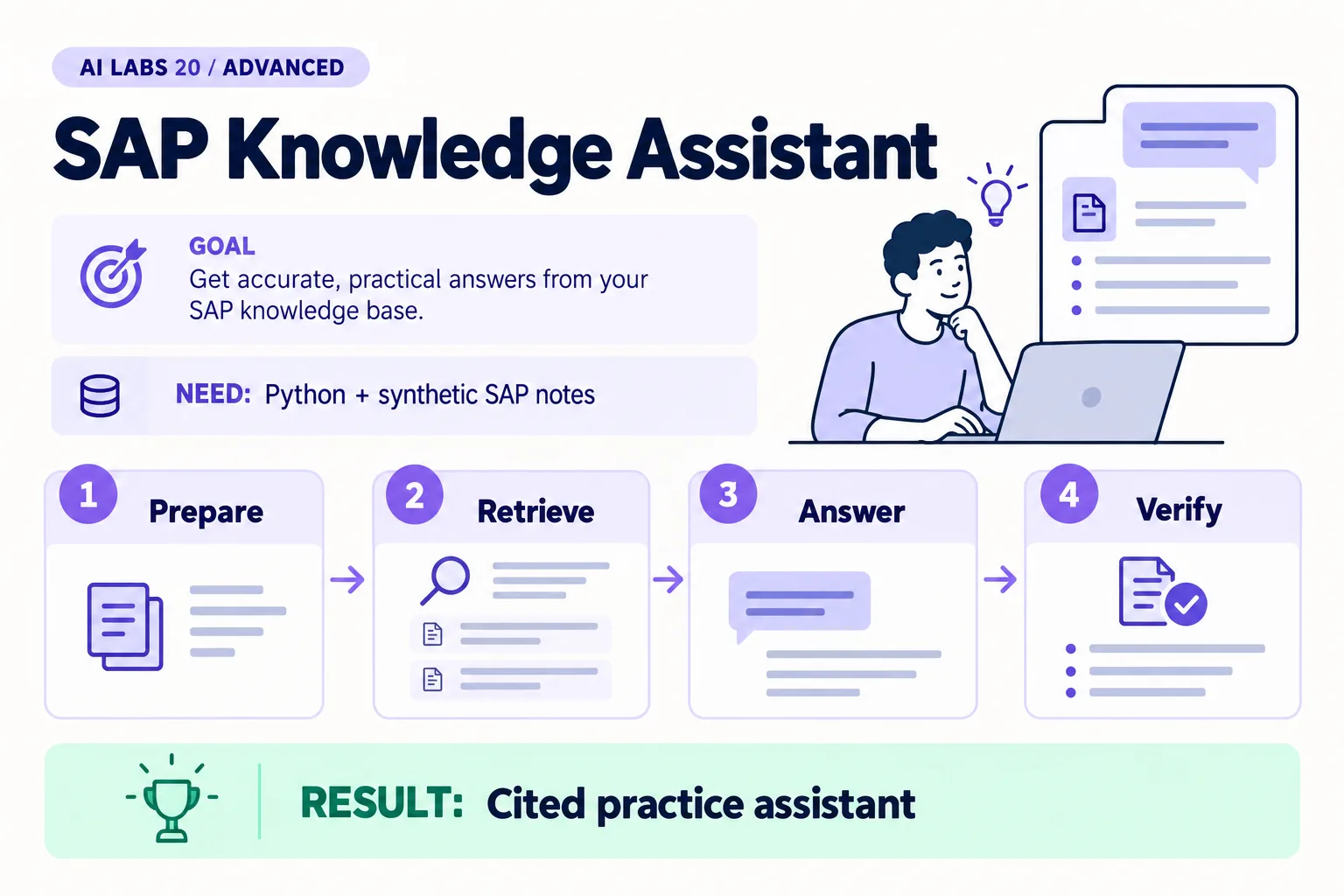
Overview: Prepare → Retrieve → Answer → Verify → Cited practice assistant. The infographic is a learning overview, not a screenshot of an executed result.
Level: Advanced · Hands-on time: approximately 65 minutes, excluding long downloads or account approval · Reading time: 5 minutes
Tools and prerequisites: Completed RAG lab; Python API environment; fictional SAP-oriented records.
Cost: Metered API usage for generated answers; no SAP license or tenant is needed for synthetic examples.
A SAP knowledge assistant is useful when it keeps source boundaries visible. In this lab, you will adapt the small retrieval assistant to fictional SAP-oriented training notes and test whether it avoids inventing transaction codes or live-system facts.
You will end with a cited training answer about sample account CA-100. No SAP login, licensed training document, customer configuration or released SAP interface is required. The sample labels and policy are fictional.
Why it matters: SAP answers are release-specific. An assistant that fills gaps from memory can name a transaction or interface that does not exist in your system, so this lab tests the refusal path as carefully as the answer path.
1. Prepare a deliberately small scope
Objective: distinguish a training assistant from live SAP advice. Reuse the RAG lab’s working folder with common.py, retrieve.py and rag.py. Keep the same API environment and model selection.
Create scope.txt:
Purpose: answer questions about the supplied fictional training notes.
Not connected to: SAP, a database, a customer tenant or a transaction system.
Must not infer: live balances, refund entitlement, transaction codes or API names.
Escalation: missing or release-specific facts require reviewed SAP documentation.
Verify: every person testing the assistant can see this scope. A note alone is not an enforced security control; this program also has no SAP connector or credentials.
2. Create the source records
Objective: make evidence identity explicit. Save sap-knowledge.json:
[
  {
    "id": "TRAIN-SAP-01",
    "text": "Fictional training scenario: contract account CA-100 belongs to business partner BP-10. These are sample labels, not live SAP identifiers."
  },
  {
    "id": "TRAIN-SAP-02",
    "text": "Fictional training rule: a missing payment reference requires an evidence review. The assistant can propose a candidate but cannot post."
  },
  {
    "id": "TRAIN-SAP-03",
    "text": "Fictional training scope: do not provide transaction codes, released API names or refund eligibility. Consult release-specific SAP documentation."
  }
]
The text says “fictional” because CA-100 and BP-10 are teaching labels. They must not be presented as objects found in an actual SAP environment.
Run python -m json.tool sap-knowledge.json to verify syntax (the supplied example file already contains these three records). If you add source material later, include its document title, release, effective date and owner in your evidence catalog. Do not upload licensed or customer-owned material without permission.
3. Inspect retrieval before generation
Objective: see which evidence a question selects. Run:
python rag.py "Which business partner belongs to contract account CA-100?" --corpus sap-knowledge.json --dry-runExpected result: TRAIN-SAP-01 is included with CA-100 and BP-10. If it is absent, inspect the source text and keyword retrieval before running the paid generation step.
Now run without --dry-run. Expect BP-10 with a TRAIN-SAP-01 citation and an explicit training context. If the answer implies that it looked up a live SAP account, record that as a failure.
4. Test release-specific uncertainty
Objective: prevent the model from filling documentation gaps with memory. Run:
python rag.py "What transaction code approves refunds?" --corpus sap-knowledge.jsonThe source provides no transaction code or refund entitlement. A correct answer stays within that limit rather than naming an assumed transaction. Also ask “What is the current balance of CA-100?” The answer must not invent a balance.
Verify: inspect retrieved chunks with --dry-run if the response is wrong. This keyword retriever can return no match or an incomplete selection; either is a retrieval limitation, not proof that SAP has no relevant feature.
5. Add a versioned training rule
Objective: practice controlled knowledge updates. Add a new JSON record:
{
  "id": "TRAIN-SAP-04",
  "text": "Fictional training policy v2, effective 2026-10-21: a case with a currency mismatch must be escalated to a reviewer. This is a lab rule, not SAP standard configuration."
}
Remember the comma between JSON objects. Ask python rag.py "What happens with a currency mismatch?" --corpus sap-knowledge.json --dry-run and inspect the selected source ID. Before you add the record, the same command prints “Not found in this knowledge set.”
Expected result: the answer attributes the escalation to the fictional rule. If two records conflict, preserve the conflict and require an explicit version-selection rule rather than asking the model to silently choose.
6. Define the next integration boundary
Objective: know what this lab has not established. Write a short POC entry checklist: approved document rights, source owner, release-specific review, access rules, citation checks, unsupported-question tests and a refresh process.
For a real SAP implementation, select documentation matching the product edition and release, then identify approved released interfaces and authorizations with the system owner. This tutorial does not invent an interface name or prescribe a universal SAP transaction.
Checkpoint: you have a working training assistant, visible source IDs, tested uncertainty, and a clear distinction between fictional rules and actual SAP behavior.
Final verification checklist
- Fictional scope is visible.
- CA-100 answer cites TRAIN-SAP-01.
- No live balance or transaction code is invented.
- Added rule is labeled fictional and versioned.
Completed outcome: Cited practice assistant. Keep your result and its verification record together.
FAQs
Is CA-100 a real SAP account?
No. All object labels in this lab are fictional.
Can I replace the notes with a customer document?
Only with appropriate rights, data approval and account controls. Review sources by product release and audience access.
Related labs
- Test Your AI Assistant: Accuracy, Cost and Failure Cases
- SAP FI-CA Payment Clarification Agent: A Step-by-Step POC
- RAG Explained: Build a Small Knowledge Assistant
Sources and research notes
Research checked on 21 October 2026. Official documentation supports the tool behavior and requirements; the fictional fixtures, walkthrough, checks and teaching sequence are original examples. Account access, plans and interface labels can change. See the library validation report for what was executed locally and what still requires a live-service run.
- SAP Help Portal: choose product and release
- SAP incoming payment clarification
- OpenAI retrieval guide
Recap
You scoped a training assistant, made evidence IDs visible, checked retrieval before generation, tested what it must not invent, and versioned a fictional rule.
Next lab
Save the uncertainty checks, then continue to the synthetic payment clarification POC.
Frequently asked questions
Is CA-100 a real SAP account?
No. All object labels in this lab are fictional.
Can I replace the notes with a customer document?
Only with appropriate rights, data approval and account controls. Review sources by product release and audience access.
Continue your trail
You now have the Architecture context.
Save this guide, continue to the next concept or return to the Knowledge Library with your context intact.
Architecture
7 resources in this area.

Practical SAP notes, structured for review, reuse and long-term maintenance.
Working on an FI-CA or IS-U implementation? I take on a limited number of advisory and architecture engagements.
Get in touch →