
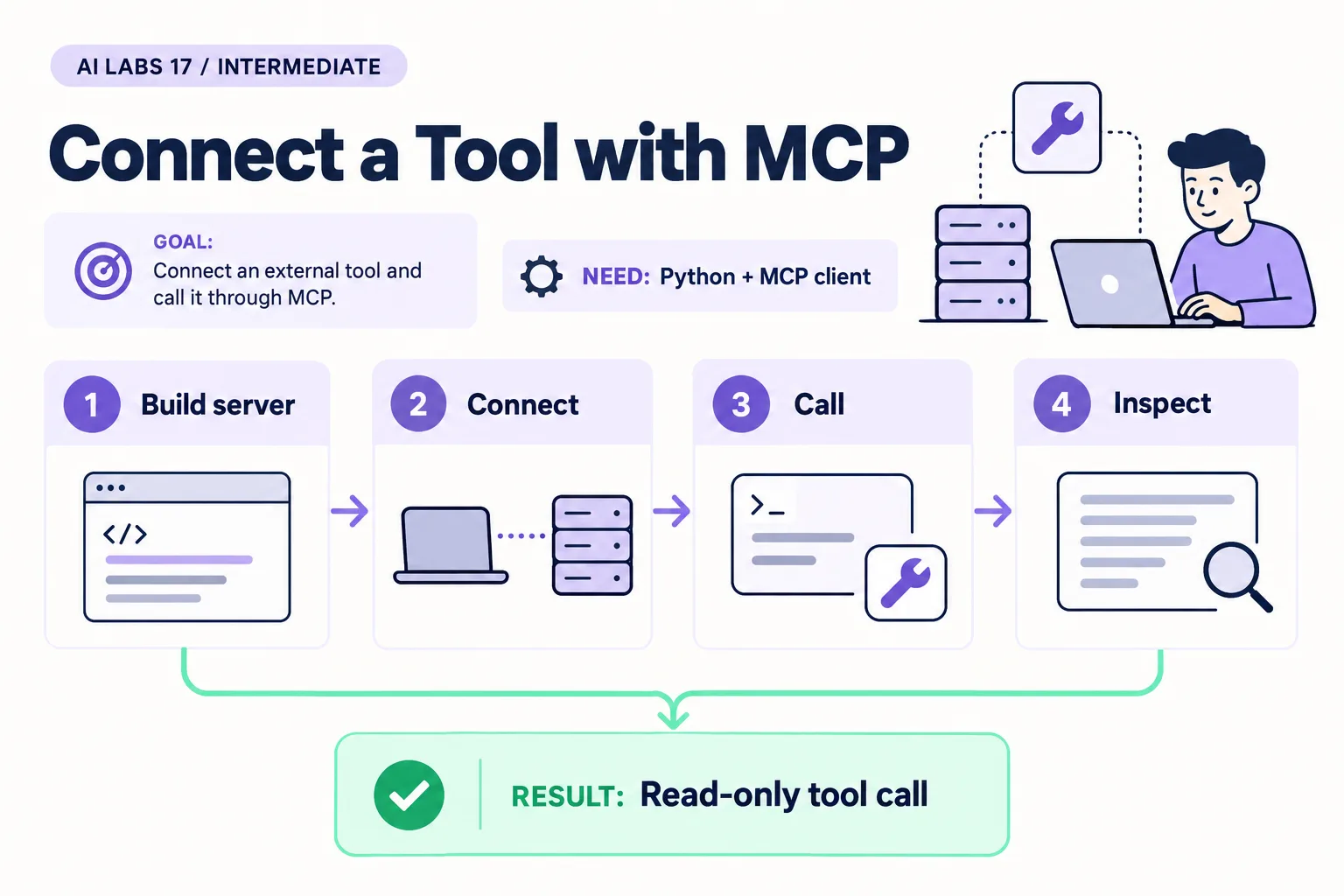
Overview: Build server → Connect → Call → Inspect → Read-only tool call. The infographic is a learning overview, not a screenshot of an executed result.
Level: Intermediate · Hands-on time: approximately 65 minutes, excluding long downloads or account approval · Reading time: 5 minutes
Tools and prerequisites: Python 3.12+; official MCP Python SDK 1.x; Claude Code with eligible access.
Cost: Server runs locally without a model bill; Claude Code account access and usage costs may apply.
MCP, the Model Context Protocol, gives AI applications a standard way to discover and call tools. In this lab, a tiny server exposes one read-only tool that returns a fictional service case.
You will end with a visible tool call for REQ-102, followed by an answer based on its returned text. This is a local teaching server, not a secure enterprise connector.
Why it matters: when an answer comes from a tool result you can see, you can check it. When it comes from the model’s memory, you cannot.
1. Prepare the Python server environment
Objective: install a version family matching this example. Create a new folder mcp-case-lab, then a Python virtual environment using the virtual-environment commands for your operating system in the API setup guide. Activate it and install:
python -m pip install "mcp>=1.12,<2"This example deliberately targets the official Python SDK’s 1.x FastMCP interface. The newer SDK major version may have a different interface; do not silently upgrade across the bound and expect identical code.
Verify: python -m pip show mcp prints a 1.x version. Record it. No OpenAI API key is needed for this local server; the chosen assistant client has its own account requirements.
2. Save the complete read-only tool
Objective: expose a narrow capability you can inspect. Create mcp_server.py:
from mcp.server.fastmcp import FastMCP

mcp = FastMCP("Sample Utility Lab")
CASES = {"REQ-101": "Billing question: request a reading review.",
         "REQ-102": "Missing payment reference: clarification review required."}

@mcp.tool()
def get_case(case_id: str) -> str:
    """Read one fictional case by ID. Does not change any records."""
    return CASES.get(case_id, "Unknown case ID; no record returned.")

if __name__ == "__main__":
    mcp.run(transport="stdio")
The dictionary contains two fictional records. Unknown IDs return a clear message. The function neither accepts a file path nor writes data. stdio means the client and server communicate through the child process’s input and output streams.
Run python -m py_compile mcp_server.py to catch syntax errors. This does not test the connection or install missing packages.
Common mistake: adding print() debugging to a stdio server. Protocol messages use standard output; send diagnostic logging to standard error instead.
3. Find absolute paths
Objective: let the client start the correct interpreter. In this environment, run:
python -c "import sys; from pathlib import Path; print(sys.executable); print(Path('mcp_server.py').resolve())"Copy both resulting paths into a private setup note. The first must point to this environment’s Python; the second to this script.
Verify: the script exists at that exact path. A shell’s activated environment does not guarantee a separately launched client uses the same interpreter.
4. Connect through Claude Code
Objective: use a documented MCP client configuration. Complete the Claude Code setup first. From your project terminal, substitute the two paths from step 3 in this command, keeping quotes around each path:
claude mcp add --transport stdio sample-utility -- "ABSOLUTE_PYTHON_PATH" "ABSOLUTE_SCRIPT_PATH"
claude mcp list
The uppercase path labels are explicit substitutions, not literal paths to run. For example, the interpreter may end in .venv/bin/python on macOS/Linux or .venv\Scripts\python.exe on Windows.
claude mcp list shows a health status for each server. Start claude and use /mcp to see connection status and the tool count. If disconnected, check interpreter path, installed SDK version, and server diagnostics. Avoid launching python mcp_server.py interactively and expecting an ordinary chat prompt: it is waiting for an MCP client.
5. Call the tool and inspect its evidence
Objective: distinguish a tool result from a model’s prior knowledge. Ask:
Use the sample-utility get_case tool for REQ-102.
Show the case ID and summarize the returned evidence.
Do not modify files or contact another service for this task.
Approve the intended tool call if your client asks. Inspect the tool name, argument REQ-102, and returned text. The final answer should reflect missing-payment clarification review.
Now ask for REQ-999. Expect “Unknown case ID” rather than invented case details.
Verify: the evidence is visible in the tool interaction, not merely asserted in a final sentence. A client may have other tools available; this server’s read-only design does not restrict those separate capabilities.
6. Remove the practice connection
Objective: leave no unnecessary integration enabled. Exit the session and run:
claude mcp remove sample-utility
claude mcp list
Confirm the practice entry is gone. Keep the script and version record for learning.
Checkpoint: you have built, connected, called, inspected and removed one narrow MCP tool. Authentication, per-user authorization and hosted transport security are separate enterprise work.
Final verification checklist
- SDK version family matches the example.
- Client starts the intended interpreter.
- REQ-102 result is visible in the tool call.
- Unknown ID does not produce invented evidence.
- Practice connection removed.
Completed outcome: Read-only tool call. Keep your result and its verification record together.
FAQs
Does MCP itself grant safe access?
No. The server and host must enforce what the caller may access. A protocol is not an authorization policy.
Why pin below version 2?
The code uses the 1.x FastMCP interface intentionally. Record and test migrations rather than assuming major versions are interchangeable.
Related labs
- Build Your First AI Workflow with n8n
- Build an AI Agent That Uses Tools and Asks for Approval
- Claude Code for Beginners: Install and Complete Your First Task
Sources and research notes
Research checked on 21 October 2026. Official documentation supports the tool behavior and requirements; the fictional fixtures, walkthrough, checks and teaching sequence are original examples. Account access, plans and interface labels can change. See the library validation report for what was executed locally and what still requires a live-service run.
Recap
You built one narrow stdio tool, connected it with claude mcp add, saw the call and its evidence, and removed it. The protocol carries the call; it does not decide who may make it.
Next lab
Save the tool-call evidence, then build an agent with a separate approval decision.
Frequently asked questions
Does MCP itself grant safe access?
No. The server and host must enforce what the caller may access. A protocol is not an authorization policy.
Why pin below version 2?
The code uses the 1.x FastMCP interface intentionally. Record and test migrations rather than assuming major versions are interchangeable.
Continue your trail
You now have the Architecture context.
Save this guide, continue to the next concept or return to the Knowledge Library with your context intact.
Architecture
7 resources in this area.

Practical SAP notes, structured for review, reuse and long-term maintenance.
Working on an FI-CA or IS-U implementation? I take on a limited number of advisory and architecture engagements.
Get in touch →