
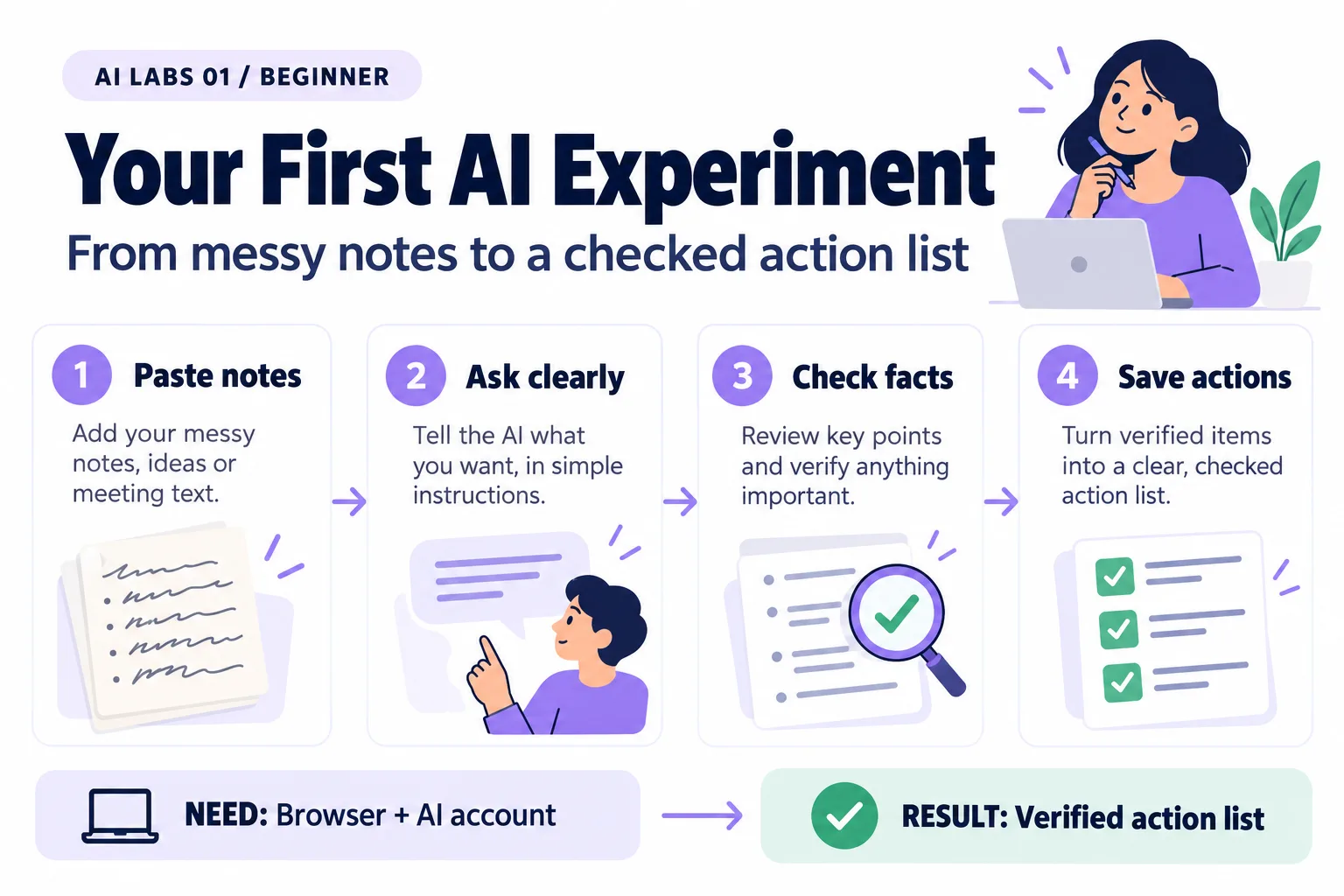
Overview: Paste notes → Ask clearly → Check facts → Verified action list. The infographic is a learning overview, not a screenshot of an executed result.
Level: Beginner · Hands-on time: approximately 20 minutes, excluding long downloads or account approval · Reading time: 4 minutes
Tools and prerequisites: Browser; accessible ChatGPT or Claude account.
Cost: Free-tier option where available; plans and limits vary by provider and change over time.
Most beginner AI mistakes are not typing mistakes. They are trusting an answer nobody checked. A page of messy notes is enough to practise the habit that fixes that. You will turn three fictional requests into a short summary and a checked action list. No installation, programming, or payment card is needed if your chosen chat service offers an available free tier.
The finished result is a table you can explain: Mina owns a reading review, Omar owns a payment investigation, and the dashboard discussion has no assigned owner. The useful skill is checking the answer against the source.
Why it matters: every later lab, from prompts to agents, depends on this one habit: compare the output with evidence before you rely on it.
1. Open a chat and prepare the source
Objective: give the assistant a small, inspectable task. Open ChatGPT or Claude in a browser, sign in, and start a new conversation. Use only this fictional text:
REQ-101: A customer says a bill looks too high. Mina will check the meter reading by 23 October 2026.
REQ-102: A payment reference is missing. Omar will review the bank note. No due date agreed.
REQ-103: The team discussed a new dashboard. No owner or delivery date agreed.
Expected result and verification: all three request IDs appear in your message before you send it. Keep a copy in a text file called notes.txt so you can compare later. If sign-in is blocked or your usage limit is reached, use another service you can access; do not enter payment details just to complete this exercise.
2. Ask for an action list
Objective: specify the result instead of hoping the assistant guesses it. Paste this underneath the notes:
Summarize these fictional notes in two sentences. Then create a table:
Request ID | Agreed action | Owner | Due date.
Use "not stated" for missing values. Separate a discussion from a commitment.
Do not invent a deadline or assign an owner. Use only the supplied notes.
Send the message once. An AI model generates a response from the information and instructions it receives; it can still make a plausible mistake.
Expected result: REQ-101 includes Mina and 23 October 2026. REQ-102 includes Omar and an unspecified deadline. REQ-103 does not become an approved dashboard project. Wording may differ; those facts should not.
Common mistake: “Make it professional” can encourage polished wording without preserving the facts. Keep the concrete columns and missing-value rule.
3. Check every row against the notes
Objective: distinguish useful extraction from invention. Make a second table for your own review:
| Check | Correct result |
|---|---|
| REQ-101 owner | Mina |
| REQ-101 due date | 23 October 2026 |
| REQ-102 owner | Omar |
| REQ-102 due date | Not stated |
| REQ-103 commitment | No owner or delivery date agreed |
If the answer is wrong, write: “REQ-102 has no agreed deadline. Correct that row and explain which words in the source support it.” Then compare the revised row yourself. Asking an assistant to check itself is useful feedback, but it does not replace your source check.
Checkpoint: you can point to the original words supporting every owner and deadline. A confident tone is not supporting evidence.
4. Try a missing-information question
Objective: learn what a good refusal to guess looks like. Ask: “Who approved the dashboard budget? Answer only from the notes.”
Expected result: the approval is not stated. If the assistant names a person, ask it to quote the supporting passage; the notes contain none. If it does name someone, save that as an observed failure rather than treating a later correction as proof of reliability.
5. Save your finished result
Objective: leave with something reusable. Copy the corrected table into a document or spreadsheet. Add a heading: “Draft action list checked against fictional notes.” Keep the source underneath it.
Verify: a person reading the document can distinguish an agreed action from an open discussion. For a real meeting, have participants confirm assignments before treating them as commitments.
Recap
Your quick win is a useful action list. Your longer-term skill is a habit: ask clearly, compare with evidence, and leave missing facts missing.
Final verification checklist
- All three IDs are present.
- No owner or deadline was invented.
- The budget question was answered as unsupported.
- The corrected table and source are saved.
Completed outcome: Verified action list. Keep your result and its verification record together.
FAQs
Do I need to learn coding first?
No. This exercise uses a browser and source checking.
Will everyone get the same wording?
No. Check the facts and missing information, not an exact sentence match.
Next lab
ChatGPT, Claude, Cursor and VS Code: AI Tools Explained shows which tool fits which job.
Related labs
Sources and research notes
Research checked on 21 October 2026. Official documentation supports the tool behavior and requirements; the fictional fixtures, walkthrough, checks and teaching sequence are original examples. Account access, plans and interface labels can change. See the library validation report for what was executed locally and what still requires a live-service run.
Frequently asked questions
Do I need to learn coding first?
No. This exercise uses a browser and source checking.
Will everyone get the same wording?
No. Check the facts and missing information, not an exact sentence match.
Continue your trail
You now have the Foundations context.
Save this guide, continue to the next concept or return to the Knowledge Library with your context intact.
Foundations
5 resources in this area.

Practical SAP notes, structured for review, reuse and long-term maintenance.
Working on an FI-CA or IS-U implementation? I take on a limited number of advisory and architecture engagements.
Get in touch →