
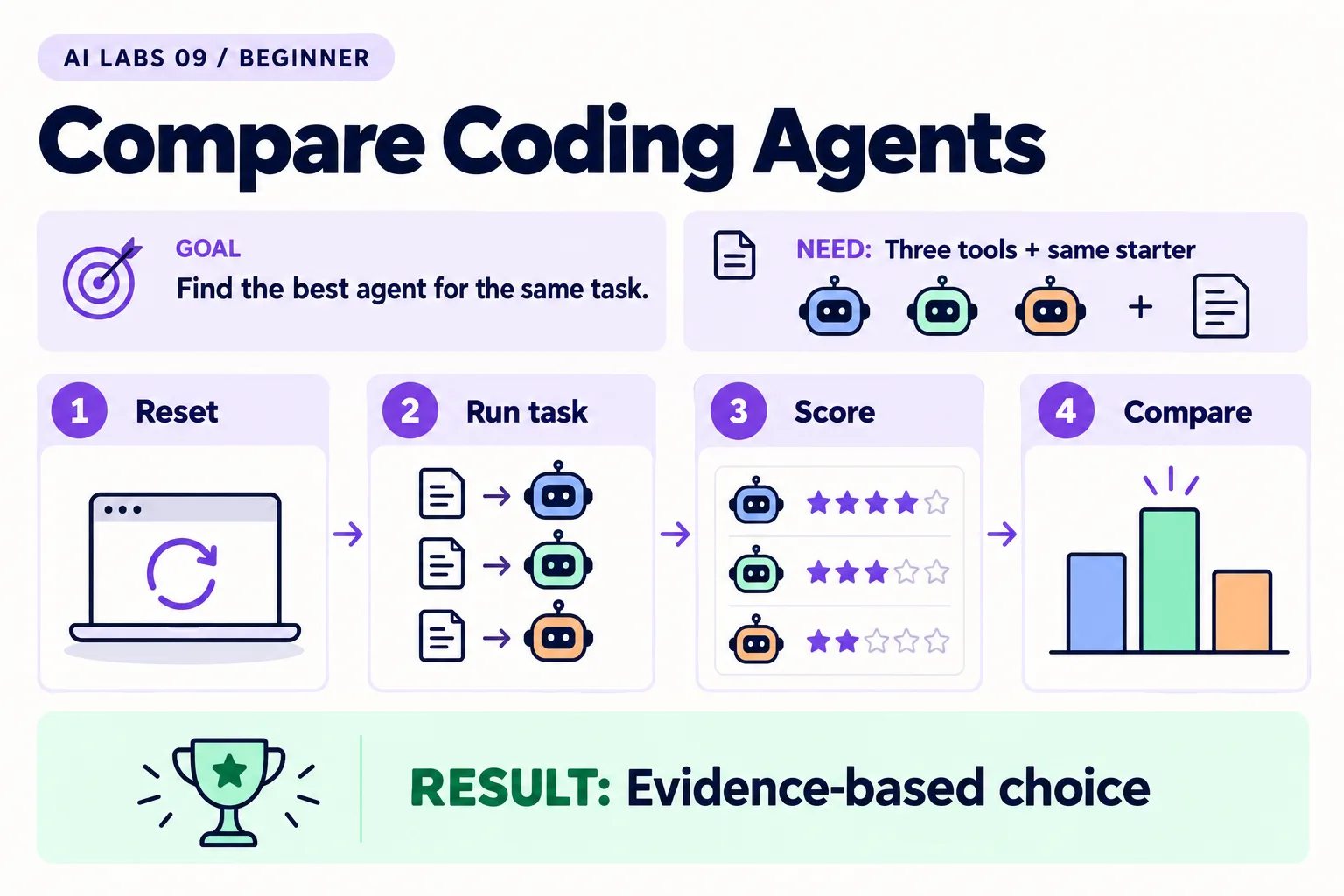
Overview: Reset → Run task → Score → Compare → Evidence-based choice. The infographic is a learning overview, not a screenshot of an executed result.
Level: Beginner · Hands-on time: approximately 100 minutes, excluding long downloads or account approval · Reading time: 4 minutes
Tools and prerequisites: Three tools; browser; identical starter files; timing and score sheet.
Cost: May require access to three paid or limited services. No spending is necessary to read the method.
Most “X vs Y” verdicts compare different prompts, models and settings, then crown a winner. This lab helps you run Cursor, Claude Code and Codex against the same small task and score the results yourself.
This article reports a reproducible method, not benchmark results; every observation field below is yours to fill in.
You will end with: a comparison table of observed behavior and any costs you can actually identify, plus a one-sentence decision tied to your own needs.
Why it matters: tool choice affects your daily workflow and budget, and a small controlled test costs less than guessing.
1. Create three identical workspaces
Objective: remove differences in starting code. Create compare-cursor, compare-claude, and compare-codex. Copy the same starter HTML into each folder as index.html.
Open each starter in a browser and add one task. Confirm that none has completion or deletion controls. Keep a fourth untouched copy as the baseline.
Verify: the file contents are identical. Your editor’s file comparison can confirm this. Do not use a finished result from an earlier tool as the next tool’s starting point.
2. Fix the requirements before running tools
Objective: make success independent of which tool you prefer. Save this exact prompt in a separate note:
Read index.html. Add Complete/Undo and Delete controls for each task.
Preserve the existing task-add behavior. Reject whitespace-only tasks.
Render user-entered labels as text, not HTML. Use no dependencies,
network requests or persistent storage. Keep one HTML file.
Explain the plan, implement the change, and report what you verified.
Define a correction budget: one initial run and at most two correction requests per tool. That is an experimental choice, not a product limit.
Expected result: every tool receives the same prompt and the same starting file. If account limits prevent a run, mark it unavailable rather than scoring it as a failed implementation.
3. Record the environment
Objective: make your findings interpretable. Before each run, record date, tool version, selected model if visible, plan, permission settings, operating system, and start time.
Use each tool’s setup post (Cursor, Claude Code, Codex) to open the corresponding folder. Do not grant broad permissions in one tool while tightly limiting another without noting it.
Verify: the notes distinguish model choice from tool choice. A result from one model and plan does not establish how every configuration of that product performs.
4. Run and score the same checks
Objective: compare outcomes rather than confident summaries. Run each tool independently and record completion time and correction count. Then check:
| Criterion | Score |
|---|---|
| Adds a nonempty task | 0 or 1 |
| Rejects whitespace | 0 or 1 |
| Complete and Undo both work | 0 or 1 |
| Delete works | 0 or 1 |
| HTML-like input stays literal text | 0 or 1 |
| No extra dependencies or network calls | 0 or 1 |
| Changed files and verification are clearly reported | 0 or 1 |
Verify: perform browser checks yourself. For the dependency criterion, inspect files and the browser’s Network panel. A blank score means not checked, not a pass.
5. Compare cost honestly
Objective: avoid misleading dollar claims. Record directly shown usage charges if available. If the tool uses a subscription allowance and no per-task charge is exposed, write “subscription usage; per-task cost not isolated.” Do not divide a monthly fee by an invented number of tasks.
Use this final table:
Tool | Version/model | Score /7 | Minutes | Corrections | Observed cost | Notes
Cursor | | | | | |
Claude Code | | | | | |
Codex | | | | | |
Common mistake: treating a faster run as better when it skipped a requirement. Assess correctness before convenience.
6. Write a bounded conclusion
Objective: choose for your next project, not for everyone. Complete: “For this single-file browser task, under these settings, I prefer ___ because ___. I still need to test ___.”
Checkpoint: another reader could repeat your method. Publish actual results only after you have recorded them. If results are tied, choose based on workflow comfort and access rather than manufacturing a winner.
Final verification checklist
- Identical starting files used.
- Versions and settings recorded.
- Scores come from performed checks.
- Unknown per-task costs are labeled.
Completed outcome: Evidence-based choice. Keep your result and its verification record together.
Recap
Same starter, same prompt, same correction budget, recorded settings, your own browser checks, honest cost notes, and a bounded conclusion. Leave any field you could not observe blank.
FAQs
Is this a ranking of the best tool?
No. It is a controlled small-task comparison readers can run with their own access and needs.
Should I run each tool more than once?
Repeated runs improve the evidence. Keep the prompt and correction budget fixed and report all runs.
Related labs
Sources and research notes
Research checked on 21 October 2026. Official documentation supports the tool behavior and requirements; the fictional fixtures, walkthrough, checks and teaching sequence are original examples. Account access, plans and interface labels can change. See the library validation report for what was executed locally and what still requires a live-service run.
Next lab
Run the comparison and save one evidence-based tool choice. Then learn to test whatever the winner produces in AI Built My App: How Do I Know It Works?.
Frequently asked questions
Is this a ranking of the best tool?
No. It is a controlled small-task comparison readers can run with their own access and needs.
Should I run each tool more than once?
Repeated runs improve the evidence. Keep the prompt and correction budget fixed and report all runs.
Continue your trail
You now have the Tools context.
Save this guide, continue to the next concept or return to the Knowledge Library with your context intact.
Tools
5 resources in this area.

Practical SAP notes, structured for review, reuse and long-term maintenance.
Working on an FI-CA or IS-U implementation? I take on a limited number of advisory and architecture engagements.
Get in touch →