
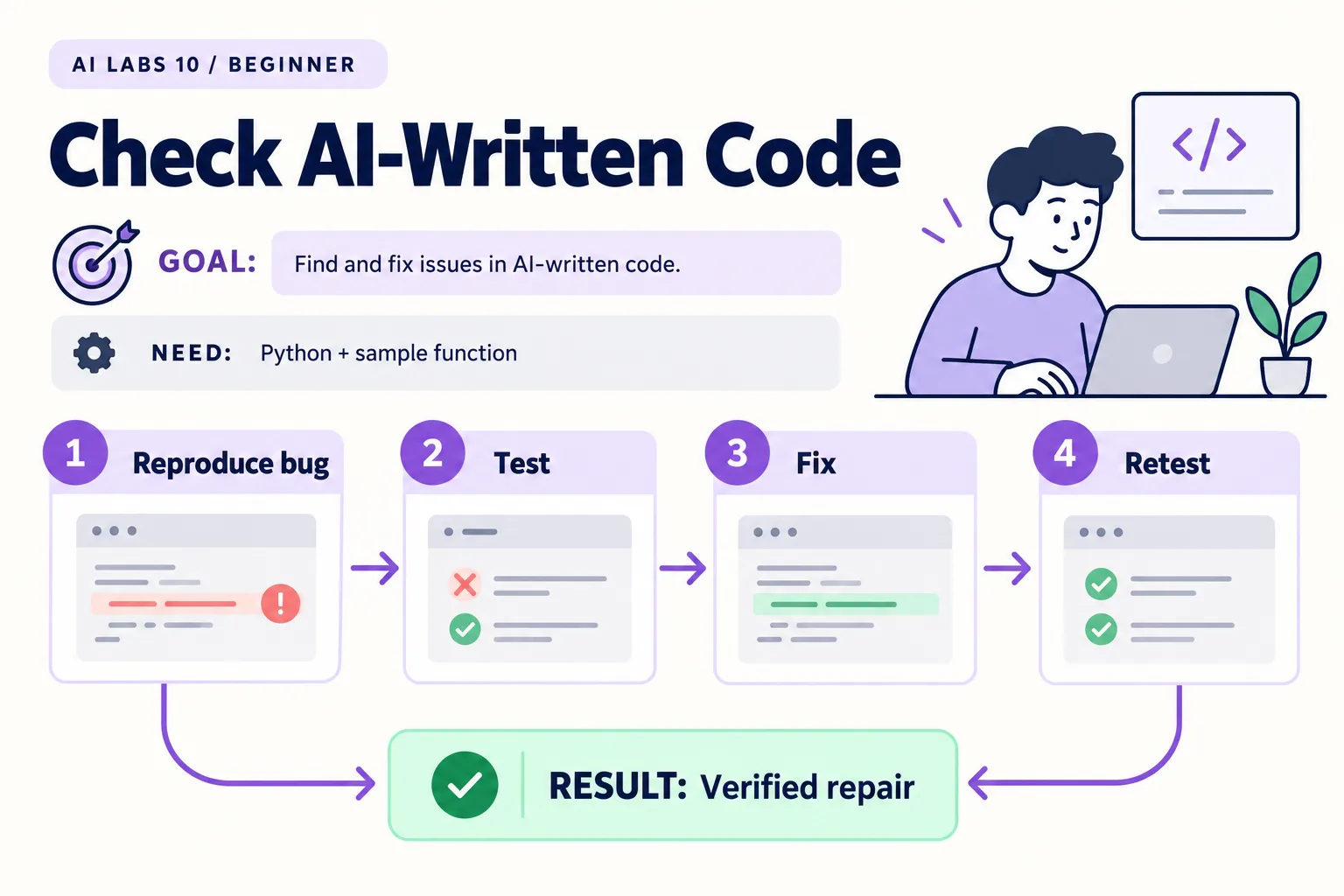
Overview: Reproduce bug → Test → Fix → Retest → Verified repair. The infographic is a learning overview, not a screenshot of an executed result.
Level: Beginner · Hands-on time: approximately 35 minutes, excluding long downloads or account approval · Reading time: 4 minutes
Tools and prerequisites: Python 3.10+; editor; terminal; AI assistant optional.
Cost: No API or subscription required.
An app that looks right can still calculate the wrong result. This lab uses a deliberately broken Python function so you can practice finding a failure, testing it, and verifying a repair.
You will end with: a small test suite that fails before the fix and passes afterward. No model account or API call is required; a coding assistant is optional.
Why it matters: AI-written code usually looks plausible. A test that fails first, then passes, is the cheapest proof that a change did what you think it did.
1. Prepare Python and the two files
Objective: run a known failure. Install Python from its official website if needed. Verify with python3 --version on macOS/Linux or py --version on Windows. Use Python 3.10 or later; the full API environment is introduced in the next lab.
Create a folder containing billing.py:
def total(amounts):
    return sum(amounts[:-1])
Then create test_billing.py:
import unittest
from billing import total

class TotalTests(unittest.TestCase):
    def test_empty(self):
        self.assertEqual(total([]), 0)
    def test_one_item(self):
        self.assertEqual(total([12]), 12)
    def test_multiple_items(self):
        self.assertEqual(total([10, 20, 30]), 60)
    def test_zero(self):
        self.assertEqual(total([0, 5]), 5)

if __name__ == "__main__":
    unittest.main()
These files are also supplied as billing.py and test_billing.py.
Verify: both files are saved in the same folder. Never name your own file unittest.py; it would hide Python’s standard library module.
2. Observe the failure before changing anything
Objective: prove the checks can detect the defect. From that folder, run:
python3 -m unittest test_billing.py -vOn Windows use py -m unittest test_billing.py -v.
Expected result: four tests run; the empty-list case passes and the other three fail. The function slices off the final item with [:-1], so [10, 20, 30] becomes [10, 20] before summing.
If no tests run, confirm the filename and folder. If an import fails, check that billing.py is next to the test. A red result is the intended checkpoint at this stage.
3. Ask for a focused diagnosis
Objective: keep a repair tied to evidence. If using an AI assistant, provide the two files and the actual failing output, then ask:
Explain why these tests fail. Fix billing.py only.
Do not weaken the tests or add dependencies.
After the fix, explain which boundary cases are covered and which are not.
You can also make the correction yourself:
def total(amounts):
    return sum(amounts)
Verify: the test file did not change. A tool that deletes the failing assertion has not repaired the function.
4. Rerun the original checks
Objective: demonstrate the before-and-after behavior. Run the same command from step 2.
Expected result: all four tests pass. Read the count as well as “OK”; running only one test is not equivalent to running all four.
Add a fifth case inside TotalTests:
    def test_negative_adjustment(self):
        self.assertEqual(total([100, -20]), 80)
Rerun and expect five passes. Negative amounts here are a mathematical fixture, not a policy about permitted financial adjustments.
5. State what the tests do not establish
Objective: avoid overstating reliability. The checks cover empty input, one item, several items, zero and a negative adjustment. They do not establish currency rounding, input validation, taxation, or accounting correctness.
For real money, define rounding and decimal handling explicitly before using this function. This tutorial deliberately uses integers so its observed bug is simple to inspect.
Checkpoint: save the failing result, the one-line repair, and the passing result. You now have a repeatable repair story rather than a screenshot of an app that happened to work once.
Final verification checklist
- Original four-test run shows three failures.
- Repair changes the function rather than weakening tests.
- All original tests pass after the fix.
- Untested behavior is documented.
Completed outcome: Verified repair. Keep your result and its verification record together.
Recap
You saw three of four tests fail, fixed billing.py without touching the tests, confirmed all pass, added a fifth case, and wrote down what the tests do not cover.
FAQs
Do passing tests prove the app has no bugs?
No. They establish the checked behavior for the tested inputs.
Why run tests before fixing the function?
A failing baseline shows that the tests detect the original problem.
Related labs
- Cursor vs Claude Code vs Codex: Run Your Own Fair Comparison
- Your First OpenAI API Project: Build a Text Summarizer
Sources and research notes
Research checked on 21 October 2026. Official documentation supports the tool behavior and requirements; the fictional fixtures, walkthrough, checks and teaching sequence are original examples. Account access, plans and interface labels can change. See the library validation report for what was executed locally and what still requires a live-service run.
Next lab
Use this fail–fix–retest habit in Your First OpenAI API Project.
Frequently asked questions
Do passing tests prove the app has no bugs?
No. They establish the checked behavior for the tested inputs.
Why run tests before fixing the function?
A failing baseline shows that the tests detect the original problem.
Continue your trail
You now have the Tools context.
Save this guide, continue to the next concept or return to the Knowledge Library with your context intact.
Tools
5 resources in this area.

Practical SAP notes, structured for review, reuse and long-term maintenance.
Working on an FI-CA or IS-U implementation? I take on a limited number of advisory and architecture engagements.
Get in touch →