
Take one customer record from your billing system. Can your team explain which legal buyer it represents, where each identifier comes from and who approves a change?
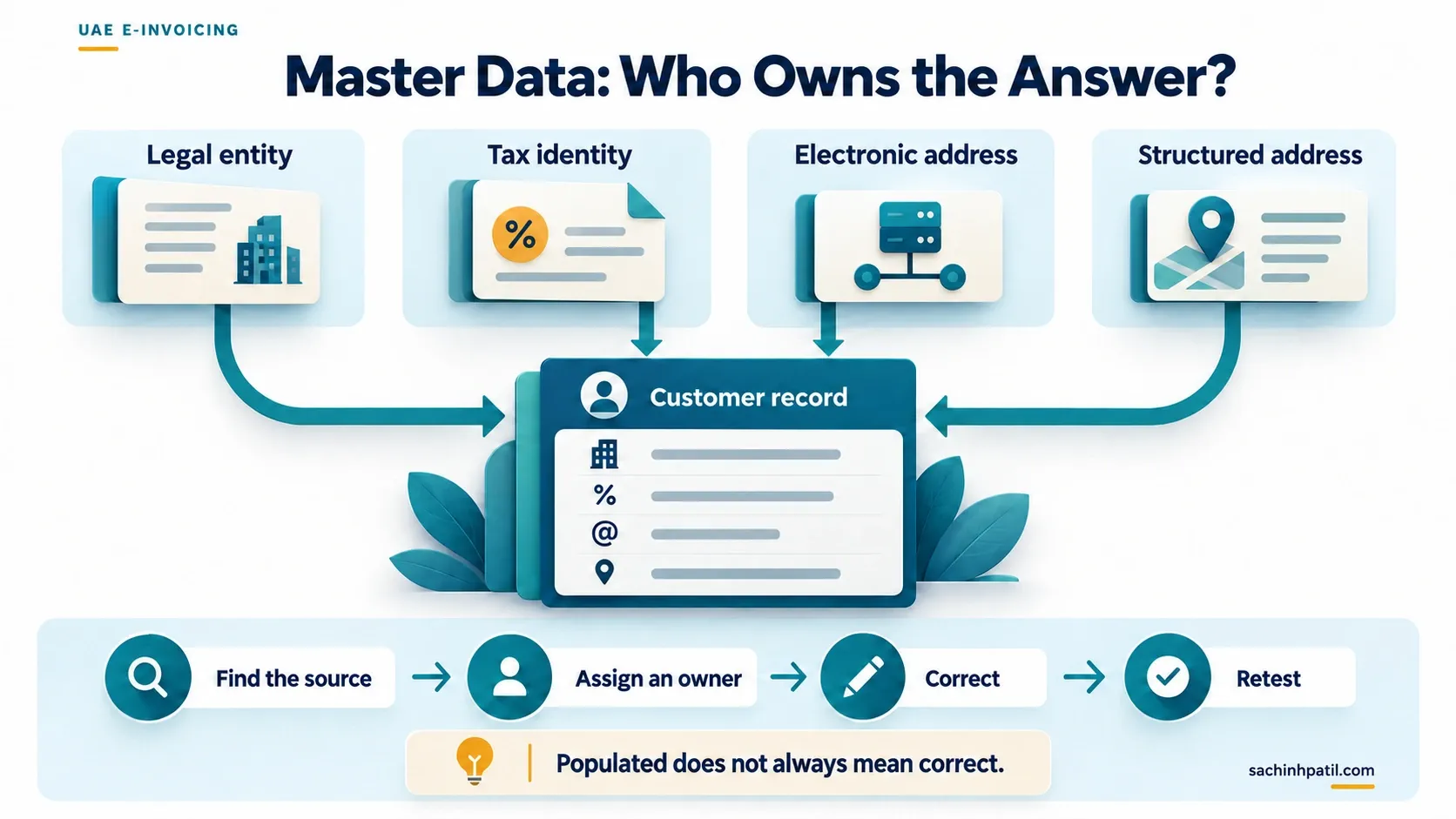
If the answers depend on an informal spreadsheet, address that ownership gap before interface testing. A field can contain a value and still describe the wrong business.
Review the meaning before the format
The PINT-AE model distinguishes legal names, tax identifiers and electronic addresses. For example, the model identifies seller electronic address as IBT-034 and buyer electronic address as IBT-049. These are separate concepts from the legal names of those parties. Official semantic model.
Do not use one generic “customer ID” column to represent every purpose without a documented mapping.
| Data group | Review question | Suggested owner |
|---|---|---|
| Seller | Does the invoice identify the correct issuing business? | Finance/entity owner |
| Buyer | Does the bill-to record represent the intended counterparty? | Customer master-data team |
| Tax identity | Who verifies the relevant identifier and tax status? | Tax |
| Electronic routing | Where is the endpoint maintained and checked? | Master data and onboarding team |
| Address | Are structured elements available and maintained? | Master data |
| Item and tax classification | Who owns units, descriptions and treatment? | Product/service owner and Tax |
Example: two records, one unresolved source
In a synthetic example, Billing updates a legal name in one customer record. The integration uses another record created during a previous migration. Both names are populated, so a missing-value check passes.
The solution is to identify the authoritative record, correct the relationship and regenerate a test invoice. Adding an undocumented fallback in middleware would leave the underlying ownership unclear.
Create an exception register
Record the affected source record, field, defect, owner, correction and evidence of retest. Distinguish missing information from conflicting information; the latter often requires a source-of-truth decision.
Use a manageable representative sample from each billing platform. Include records maintained through different routes, such as manual creation, migration and a customer-onboarding interface.
| Defect | Better correction approach |
|---|---|
| No approved endpoint source | Resolve onboarding ownership before inventing a default |
| Address exists only as printable text | Establish reliable structured source values |
| Duplicate buyer records | Confirm the authoritative business relationship |
| Local unit code lacks target mapping | Review meaning and maintain an owned translation |
| Outdated tax classification | Obtain a tax decision and retest affected scenarios |
Test the correction through the process
After updating a record, create a fresh test document and trace the value through extraction and transformation. Confirm that an older cached value does not overwrite it.
Keep evidence of both the defect and the corrected result. This helps operations recognise the same issue after go-live and supports regression testing when the mapping changes.
Prevent the defect from returning
Add appropriate checks to the record-creation and maintenance process. Give each business concept one accountable owner, even if several systems hold copies.
Define what happens when an approved value changes. Review the impact on documents already prepared, unprocessed payloads and future billing. Do not assume that correcting the master record automatically repairs every existing invoice record.
Common questions
Does a populated record mean it is ready? It establishes completeness only for the checks performed, not business correctness.
Can the ASP decide the correct legal buyer? The organisation needs to establish and govern the underlying business facts.
Next step: connect the review to the data-mapping guide and explore an example in the educational simulator.
Reference diagram
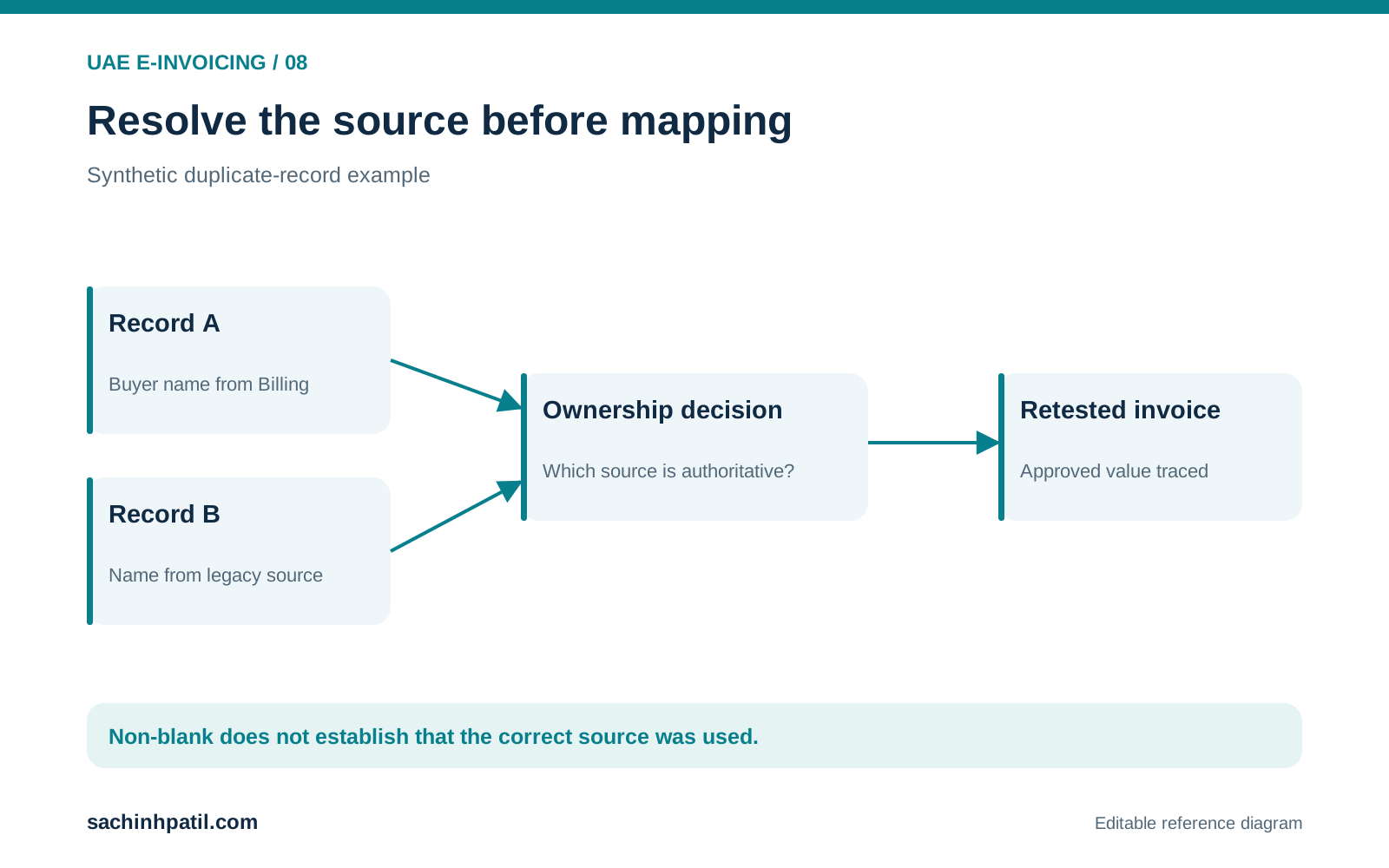
A non-blank field can still come from the wrong source.
Frequently asked questions
Does a populated record mean it is ready?
It establishes completeness only for the checks performed, not business correctness.
Can the ASP decide the correct legal buyer?
The organisation needs to establish and govern the underlying business facts.
Continue your trail
You now have the E-Invoicing context.
Save this guide, continue to the next concept or return to the Knowledge Library with your context intact.
E-Invoicing
14 resources in this area.

Practical SAP notes, structured for review, reuse and long-term maintenance.
Working on an FI-CA or IS-U implementation? I take on a limited number of advisory and architecture engagements.
Get in touch →